Power BI 2025 Release Wave 2: Roadmap Guide for 2026

Table of Contents
Introduction
Since its early releases, Power BI has evolved from a self-service visualization tool into a unified analytics and AI-driven decision platform within Microsoft Fabric. The Power BI October 2025 update sets the tone for what is ahead in 2026, introducing significant improvements in AI-assisted modeling, data productization, and mapping modernization.
These enhancements reflect Microsoft’s continued shift toward intelligent, connected analytics environments. Copilot now generates DAX queries, Azure Maps replaces legacy visuals, and Dataflows Gen2 connects Power BI more closely with enterprise-scale lakehouses.
For business and IT leaders, the Power BI release wave 2 updates are now live and actively shaping 2026 analytics roadmaps. This guide explains what changed, where organizations stand in mid-2026, and which actions still require attention.
What are The Most Important Release Wave 2 Updates for Business Leaders?
The most significant Power BI release wave 2 changes include Copilot-generated DAX queries, the migration from Bing Maps to Azure Maps, Dataflows Gen2 export capability, native ARM support, and Metric Sets deprecation. As of mid-2026, several of these changes are already mandatory, meaning organizations that have not yet acted are running on deprecated infrastructure.
1. AI-Assisted Modeling with Copilot For DAX:
Copilot now generates DAX queries directly in DAX Query View. This feature speeds up model creation, reduces reliance on niche skills, and prepares teams for the broader AI-authored modeling planned for 2026.
Action: Start internal pilots to test accuracy, productivity, and governance workflows.
2026 Status: Copilot DAX generation is now generally available across Fabric-enabled workspaces. Teams that ran pilots in late 2025 are reporting measurable reductions in model development time. If your organization has not yet evaluated this capability, a structured pilot is the recommended starting point.
2. Migration from Bing Maps to Azure Maps:
Power BI paginated reports will adopt Azure Maps instead of Bing Maps. This migration enhances map precision, scalability, and long-term support.
Action: Identify all map visuals in production and complete migration immediately. The Q2 2026 deadline has passed — Bing Maps visuals in paginated reports are no longer supported and will stop rendering.
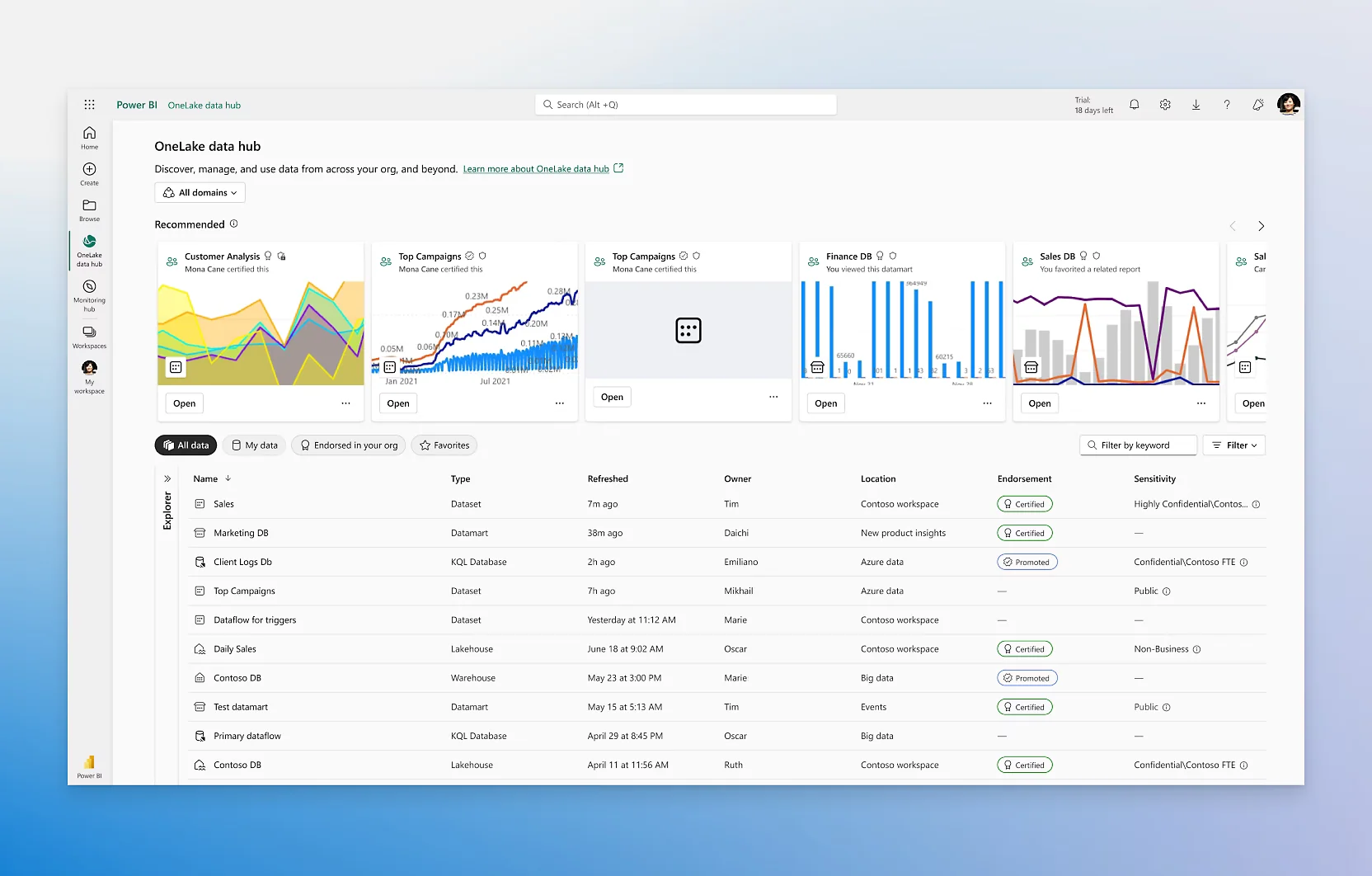
3. Data Productization Through Dataflows Gen2 and Lakehouses:
Users can export cleaned Power Query data directly into Dataflows Gen2 or Fabric lakehouses. This aligns Power BI with enterprise data-product strategies.
Action: Define which datasets can become reusable dataflows and document ownership within governance tools.
2026 Status: Dataflows Gen2 adoption has accelerated significantly among Fabric customers. Organizations with mature data governance frameworks are using this capability to establish certified data products — reducing duplication across reports and improving consistency for executive reporting.
4. ARM-Native Power BI Desktop:
The update introduces Power BI Desktop for Windows on ARM devices. Organizations gain better performance and energy efficiency across modern laptops and tablets.
Action: Evaluate hardware compatibility, test extensions, and update device policies accordingly.
5. Metric Sets Deprecation:
Metric Sets creation ended October 25, 2025, and full removal has now been completed. Any remaining Metric Sets in your environment are unsupported and should be migrated to Scorecards immediately.
Action: Audit your workspace for any remaining Metric Sets assets. Migrate all outstanding items to Scorecards — this is no longer a planning item, it is remediation.
Accelerate Your Power BI Release Wave 2 Readiness
Whether you are still completing Azure Maps migration, evaluating Copilot DAX, or remediating deprecated Metric Sets, AlphaBOLD's Power BI consultants help you close the gap. We assess where your environment stands against release wave 2 requirements and build a clear action plan.
Request a DemoHow should organizations budget and plan for these Release Wave 2 updates?
Organizations that have not yet completed their release wave 2 adoption should treat outstanding items as immediate operational priorities, not roadmap planning. Q2 2026 has passed, some deadlines are already behind you. Budget and planning should now focus on remediation of deprecated features and acceleration of Copilot and Fabric adoption for the second half of 2026.
The latest Power BI updates introduce Copilot modeling, Azure Maps, and Dataflows Gen2, each requiring investment in training, governance, and testing.
Key budgeting priorities
- AI and Copilot Enablement: Licensing review for Fabric capacity, Copilot enablement, and internal training on DAX query review and validation.
- Azure Maps Migration: If not completed, prioritize immediately, this is now overdue.
- Metric Sets Remediation: Allocate time for auditing and migrating any remaining Metric Sets to Scorecards in Q3 2026.
- Governance and Data Products: Investment in Dataflows Gen2 ownership models, documentation, and certification workflows within your Fabric environment.
- ARM Device Rollout: Hardware compatibility testing and device policy updates for organizations expanding to Windows on ARM.
Suggested Planning Timeline
| Period | Key Focus |
|---|---|
|
Q4 2025 |
Inventory visuals, DAX models, Metric Sets; begin Copilot trials. |
|
Q1 2026 |
Roll out training; start Azure Maps migration; define governance structure. |
|
Q2 2026 |
Expand Dataflows Gen2 exports; optimize models; document architecture updates. |
Strategic outcomes
By budgeting early, organizations reduce downtime during feature retirements and ensure continuity in analytics operations. A structured roadmap also accelerates ROI from new AI and data-sharing capabilities.
Further Reading: Data Governance in Power BI
What Should You Expect from a Power BI Consulting Partner During These Updates?
What A Partner Should Provide?
- Advisory and roadmap alignment: Translate Microsoft update cycles into tailored adoption plans that fit your enterprise data goals.
- Migration and optimization support: Manage Azure Maps conversion, Dataflows Gen2 setup, and KPI migration with minimal disruption.
- AI readiness programs: Develop prompt standards, validation workflows, and Copilot governance frameworks.
- Performance and compliance testing: Validate models, ensure accessibility compliance, and confirm scalability within Fabric.
Questions To Ask Your Partner:
- How will you validate AI-generated DAX for accuracy and compliance?
- What is your approach to migrating Metric Sets without losing KPI history?
- How do you plan to integrate Power BI Copilot with existing governance frameworks?
- Can you demonstrate proven success with Azure Maps and Dataflows Gen2 migration?
Why Partnership Matters?
Working with an experienced Power BI consultant minimizes risk, speeds adoption, and ensures alignment between data strategy and Microsoft’s evolving ecosystem. Expert support helps organizations adopt the 2026 features efficiently while maintaining quality and compliance.
Modernize Your Analytics Roadmap for 2026
Turn the latest Power BI 2026 updates into measurable business value. AlphaBOLD helps enterprises upgrade reporting, strengthen governance, and implement AI-ready analytics frameworks.
Request a ConsultationWhat Are the Risks of Delaying Release Wave 2 Adoption?
Delaying Power BI release wave 2 adoption is no longer a theoretical risk, for some features, the consequences are already materializing. Here is what organizations are facing in mid-2026 depending on where they are in the adoption curve.
1. Deprecated Features Still in Production:
Organizations that have not migrated away from Metric Sets or Bing Maps in paginated reports are running unsupported assets. These do not receive security patches, may break during platform updates, and create compliance exposure for organizations with formal data governance requirements.
2. Copilot Readiness Gap:
Teams that deferred Copilot DAX pilots in late 2025 are now six months behind peers who began building governance frameworks, testing workflows, and training analysts. The gap compounds as Microsoft continues to expand Copilot’s scope across Fabric in 2026 release wave 1 and beyond.
3. Fabric Architecture Misalignment:
Dataflows Gen2 adoption is tightly linked to Microsoft Fabric’s data product architecture. Organizations still operating standalone Power BI workspaces without Fabric integration are increasingly disconnected from Microsoft’s investment roadmap, which concentrates new capability development in the Fabric ecosystem, not legacy Power BI Premium.
4. Governance and Audit Risk:
Deprecated assets that remain in production workspaces create governance gaps. CloudWatch-style workspace monitoring, via Fabric’s built-in admin monitoring workspaces will surface these as unresolved items in audit reports, which becomes problematic for organizations subject to SOC 2, ISO 27001, or internal IT governance reviews.
5. Missed Performance And AI Gains:
Power BI Desktop for ARM and Copilot modeling improves performance and reduces manual workload. Delayed upgrades mean lost productivity and missed opportunities to operationalize AI-assisted analytics across the organization.
Executive Insight
Enterprises that act early on the Power BI 2025 release wave 2 updates will maintain reporting continuity and be better positioned to adopt upcoming Fabric innovations. Proactive planning reduces both operational risk and long-term migration costs.
Frequently Asked Questions
The Power BI release wave 2 updates aim to enhance AI-assisted modeling, improve data reuse through Dataflows Gen2, and modernize visuals with Azure Maps. These improvements support more accurate reporting and faster, smarter business insights.
Yes, certain visuals such as Bing Maps and Metric Sets will lose support in 2026. Users should migrate to Azure Maps and Scorecards to avoid performance or compatibility issues.
The updates expand Copilot’s ability to write DAX queries and assist in model creation. Teams will need governance rules and validation checks to ensure accuracy when using AI-generated logic.
Conduct a full system audit, review visuals and dataflows, and allocate budget for migration and training. Planning early helps ensure smooth adoption and prevents data disruptions.
A consulting partner can manage technical migrations, design governance frameworks, and train internal teams on new Power BI features. This support helps organizations adopt updates faster and with reduced risk.
Yes, the updates align with Microsoft Fabric’s unified data ecosystem. Features like Dataflows Gen2 and lakehouse exports are part of the broader Fabric integration strategy for enterprise analytics.
Work With AlphaBOLD to Complete Your Release Wave 2 Adoption
We help organizations assess where they stand against release wave 2 requirements, complete outstanding migrations, enable Copilot and Dataflows Gen2, and prepare for release wave 1 2026 changes already rolling out. Whether you are starting from scratch or closing a specific gap, AlphaBOLD’s certified Power BI consultants deliver a structured path to full adoption.