Top Microsoft Dynamics 365 AI Features for Business Intelligence

Table of Contents
Introduction
Organizations run critical operations across sales, service, finance, and supply chain systems, yet many teams still face operational friction caused by disconnected data, manual processes, and slow reporting cycles. Artificial intelligence is changing how enterprise platforms address these challenges.
Modern Dynamics 365 AI features embed intelligence directly into business workflows so teams can analyze data, automate repetitive work, and make faster decisions within the applications they already use. Capabilities such as Copilot assistance, AI agents, predictive analytics, and conversational data access help organizations reduce operational friction across departments.
Instead of relying on static dashboards or manual analysis, users can interact with business data in natural language, receive AI-generated insights, and automate routine activities across CRM and ERP processes. This shift is turning Dynamics 365 into a platform that not only records business activity but actively supports how work gets done.
AI-Driven Innovation in Microsoft’s Dynamics Business Apps
Dynamics 365 business applications integrate artificial intelligence directly into everyday business processes across sales, marketing, customer service, finance, and operations. Rather than treating AI as a separate analytics tool, the platform embeds intelligence into workflows so users can analyze data, automate tasks, and receive recommendations while working inside the system.
Modern Dynamics 365 AI features combine Copilot experiences, predictive models, and AI agents that assist employees with operational decisions. These capabilities help organizations reduce operational friction across departments by turning business applications into systems that actively support how work gets done.
Copilot-Powered Intelligence Across Business Workflows
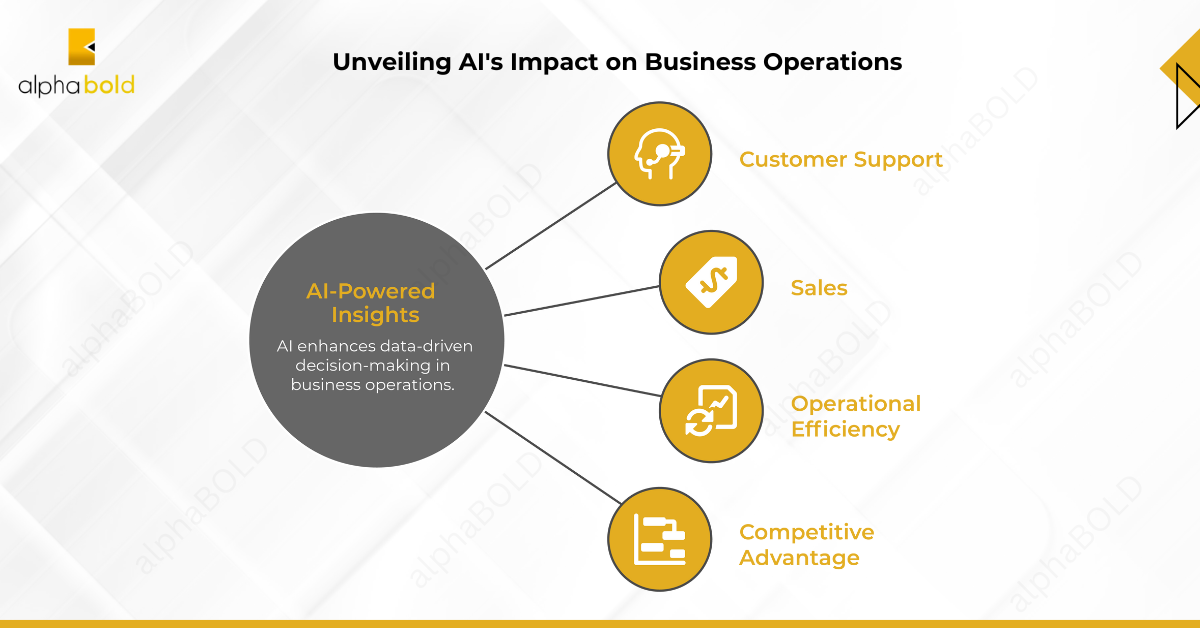
Copilot-powered intelligence is one of the most important Dynamics 365 AI features. It uses generative AI to analyze CRM and ERP data, generate summaries, answer questions, and recommend actions directly within business workflows. This allows users to interact with operational data using natural language, rather than relying on manual reports or complex dashboards.
Copilot is embedded across multiple Dynamics 365 applications and helps teams access insights while working inside the system.
Common Copilot capabilities in Dynamics 365 include:
- Record summaries: AI-generated summaries of leads, opportunities, customer accounts, and service cases
- Conversation summaries: automatic summaries of customer interactions, emails, and support conversations
- Meeting preparation insights: contextual information about customers and opportunities before sales meetings
- Email drafting and response suggestions: AI-generated email content based on CRM context
- Natural language queries: users can ask questions about operational data without building reports
These capabilities reduce the time employees spend searching for information and reviewing records. Teams can quickly understand customer context, identify priorities, and act on insights without leaving their business applications.
As organizations continue adopting AI-enabled workflows, Copilot-driven assistance has become a foundational part of modern AI features, helping teams work faster while making better operational decisions.
Drive Innovation with Dynamics 365 AI Features
Explore how AI-powered features can drive innovation across your organization. Request a demo to see how machine learning and predictive analytics can unlock new opportunities.
Request a DemoAI Agents Automating Business Processes
Another important category of Dynamics 365 AI features is the use of AI agents to automate operational workflows. These agents analyze business data, perform routine tasks, and assist employees with decisions across sales, service, finance, and operations processes.
Unlike traditional automation tools that follow predefined rules, AI agents can interpret context, generate recommendations, and carry out actions based on business data stored in the CRM.
Industry analysts expect agent-driven automation to play an increasingly important role in enterprise operations. Gartner predicts that by 2029, agentic AI will autonomously resolve 80% of common customer service issues without human intervention, leading to a 30% reduction in operational costs. This shift highlights the growing importance of intelligent agents within enterprise platforms.
Examples of AI agent capabilities in Dynamics 365 include:
- Sales qualification and research
AI agents can analyze leads, research company information, and help sales teams identify prospects that are more likely to convert. - Case management automation
Customer service agents can summarize conversations, suggest responses, and help support teams resolve cases more efficiently. - Financial reconciliation assistance
Finance teams can use AI agents to identify discrepancies between financial records and recommend actions to resolve them. - Operational scheduling support
Field service operations can use AI-driven scheduling agents to optimize technician assignments and service appointments.
These capabilities help organizations reduce manual work, improve process consistency, and respond faster to operational changes. By embedding intelligent agents within CRM and ERP workflows, Dynamics 365 enables teams to automate repetitive tasks while maintaining visibility and control over business operations.
As AI adoption continues to expand across enterprise platforms, AI-driven automation is becoming a core component of modern Dynamics 365, helping organizations streamline processes and increase operational efficiency.
You may also like: AI in CRM: Exploring Microsoft Dynamics 365 Benefits
Predictive Analytics for Forecasting and Planning
Predictive analytics is another key category of Dynamics 365 AI features that helps organizations anticipate trends and make proactive business decisions. By analyzing historical data, real-time signals, and behavioral patterns, machine learning models can forecast outcomes and highlight potential risks across business operations.
Instead of relying only on historical reporting, predictive analytics enables leaders to identify patterns earlier and respond to changes before they affect performance.
Common predictive analytics capabilities in Dynamics 365 include:
- Sales pipeline forecasting
AI analyzes historical deal data, engagement activity, and opportunity trends to forecast expected revenue and identify deals at risk. - Customer churn prediction
Machine learning models detect behavioral signals that indicate when customers may disengage, helping teams take proactive retention actions. - Demand forecasting
Operations and supply chain teams can analyze historical purchasing patterns and market trends to better predict product demand. - Financial risk detection
AI models can highlight unusual financial patterns or potential issues that may affect revenue, cash flow, or operational performance.
These predictive capabilities allow organizations to move beyond reactive reporting and shift toward proactive decision-making. By integrating predictive analytics directly into operational systems, Dynamics 365 helps teams identify risks earlier, allocate resources more effectively, and improve business planning.
AI-Driven Customer Insights and Personalization
Another important group of Dynamics 365 AI features focuses on generating deeper customer insights and enabling more personalized engagement across sales, marketing, and service teams.
Modern organizations interact with customers across multiple channels, including websites, marketing campaigns, support interactions, and transactional systems. These interactions often create fragmented customer data that makes it difficult to understand the full customer journey.
AI capabilities within Dynamics 365 help address this challenge by analyzing data from multiple sources and creating unified customer profiles. By combining behavioral signals, transaction history, engagement activity, and demographic attributes, AI models can identify patterns that help teams better understand customer needs and preferences.
Common customer intelligence capabilities include:
- Customer segmentation
AI models group customers based on behavior, engagement history, and purchasing patterns, allowing teams to target audiences more effectively. - Churn risk detection
Machine learning models identify customers who may be at risk of disengaging, helping organizations take proactive retention actions. - Personalized recommendations
AI can suggest relevant products, services, or content based on past interactions and behavioral patterns. - Customer journey insights
Teams can analyze how customers move across channels and identify opportunities to improve engagement or conversion.
These features allow organizations to move beyond basic customer records and gain a deeper understanding of customer behavior. By turning customer data into actionable insights, businesses can deliver more relevant experiences, improve customer retention, and create long-term value.
Conversational Data Exploration with Natural Language
Another important category of Dynamics 365 AI features is conversational data exploration using natural language. These capabilities allow users to ask questions about business data and receive insights without building reports or navigating complex filters.
Traditional analytics tools often require technical knowledge to create queries or dashboards. Natural language interaction changes this model by allowing users to explore operational data using everyday language.
In Dynamics 365, AI-powered assistants can interpret questions, retrieve relevant information from business records, and generate clear responses that help users understand operational trends.
Common natural language capabilities include:
- Natural language queries
Users can ask questions about sales performance, customer activity, or operational data and receive immediate insights. - AI-generated summaries
The system can summarize records, conversations, and operational activity to help users quickly understand key information. - Contextual recommendations
AI can analyze user requests and surface related insights, helping employees identify patterns or next actions. - Data discovery across records
Users can quickly locate relevant data across CRM and ERP records without manually filtering through multiple views.
These features make analytics more accessible across the organization. Instead of relying solely on analysts or report builders, employees across departments can interact directly with business data to make faster, more informed decisions.
AI-Enhanced Reporting and Business Intelligence
Another important category of Dynamics 365 AI features focuses on improving how organizations monitor performance and generate operational insights. AI-enhanced reporting helps teams move beyond static dashboards by automatically identifying trends, summarizing key metrics, and highlighting changes in business activity.
Within Dynamics 365 applications, AI can generate summaries of records, activities, and workflows, allowing users to quickly understand important updates without reviewing multiple reports. These summaries help teams track operational performance and identify issues earlier.
AI-powered reporting capabilities also support deeper analysis when Dynamics data is connected to broader analytics platforms such as Power BI or Microsoft Fabric. By combining CRM and ERP data with advanced analytics tools, organizations can analyze performance across sales pipelines, customer service operations, financial activity, and supply chain processes.
Common reporting and analytics capabilities include:
- Operational performance monitoring
Teams can track key metrics across sales, service, finance, and operations to understand how business processes are performed. - AI-generated summaries of business activity
Automated summaries highlight important updates in customer interactions, workflows, and operational records. - Trend and anomaly detection
AI models can identify unusual activity or emerging trends in operational data. - Integrated CRM and ERP analytics
Organizations can combine Dynamics data with enterprise analytics tools to generate deeper insights across departments.
These features help organizations shift from reactive reporting toward continuous operational intelligence. By surfacing insights directly from operational data, teams can monitor performance more effectively and respond to changes as they occur.
Explore New Opportunities with Microsoft Dynamics 365 AI Features
Learn how AI-driven insights can unlock new opportunities for your organization. Request a demo to see the potential of machine learning and predictive analytics.
Request a DemoConclusion
Artificial intelligence is changing how organizations use enterprise systems. Modern Dynamics 365 AI features embed intelligence directly into operational workflows so teams can analyze data, automate tasks, and make faster decisions across sales, service, finance, and operations.
Capabilities such as Copilot assistance, AI agents, predictive analytics, and conversational data interaction help employees interpret information, prioritize actions, and respond to operational changes in real time.
As organizations adopt these technologies, Dynamics 365 is becoming a platform that supports AI-enabled business processes across the enterprise. When combined with tools such as Power Platform, Microsoft Fabric, and Azure AI, businesses can automate workflows, generate deeper insights, and build more connected data environments.
Organizations exploring Dynamics 365 AI features should focus on aligning these capabilities with business processes and data strategy to deliver measurable outcomes.
FAQs
Dynamics 365 AI features include Copilot assistance, AI agents, predictive analytics, customer insights, and natural language data interaction. These capabilities help organizations analyze operational data, automate workflows, and generate insights directly within CRM and ERP applications.
Copilot in Dynamics 365 uses generative AI to analyze CRM and ERP data and provide contextual assistance within business workflows. It can summarize records, generate email responses, answer questions about business data, and suggest next actions based on customer activity and operational insights.
AI agents in Dynamics 365 are intelligent automation tools that perform operational tasks across sales, service, finance, and field operations. These agents can research leads, summarize service cases, assist with financial reconciliation, and help automate routine workflows.
Dynamics 365 AI features improve business processes by reducing manual work, identifying patterns in operational data, and providing AI-generated insights. Organizations can automate repetitive tasks, forecast trends, and support faster decision-making across departments.
Yes. Dynamics 365 AI features integrate with Microsoft technologies such as Power Platform, Microsoft Fabric, and Azure AI. These integrations allow organizations to combine operational data with advanced analytics, automation, and AI-driven applications across the enterprise.
Explore Recent Blog Posts