
Table of Contents
Introduction
Since its early releases, Power BI has evolved from a self-service visualization tool into a unified analytics and AI-driven decision platform within Microsoft Fabric. The Power BI October 2025 update sets the tone for what is ahead in 2026, introducing significant improvements in AI-assisted modeling, data productization, and mapping modernization.
These enhancements reflect Microsoft’s continued shift toward intelligent, connected analytics environments. Copilot now generates DAX queries, Azure Maps replaces legacy visuals, and Dataflows Gen2 connects Power BI more closely with enterprise-scale lakehouses.
For business and IT leaders, the Power BI 2026 updates represent roadmap triggers that influence the coming year’s budgeting, governance, and data strategy. This executive brief explains what is changing, why it matters, and which actions to prioritize before 2026 begins.
What are The Most Important Power BI 2026 Updates for Business Leaders?
1. AI-Assisted Modeling with Copilot For DAX:
Copilot now generates DAX queries directly in DAX Query View. This feature speeds up model creation, reduces reliance on niche skills, and prepares teams for the broader AI-authored modeling planned for 2026.
Action: Start internal pilots to test accuracy, productivity, and governance workflows.
2. Migration from Bing Maps to Azure Maps:
Power BI paginated reports will adopt Azure Maps instead of Bing Maps. This migration enhances map precision, scalability, and long-term support.
Action: Identify all map visuals in production, test replacements, and budget for migration before Q2 2026.
3. Data Productization Through Dataflows Gen2 and Lakehouses:
Users can export cleaned Power Query data directly into Dataflows Gen2 or Fabric lakehouses. This aligns Power BI with enterprise data-product strategies.
Action: Define which datasets can become reusable dataflows and document ownership within governance tools.
4. ARM-Native Power BI Desktop:
The update introduces Power BI Desktop for Windows on ARM devices. Organizations gain better performance and energy efficiency across modern laptops and tablets.
Action: Evaluate hardware compatibility, test extensions, and update device policies accordingly.
5. Metric Sets Deprecation:
Metric Sets creation ends October 25 2025, with full removal scheduled for early 2026.
Action: Transition to Scorecards and other KPI tracking tools now to avoid unsupported assets.
Accelerate Your Power BI 2026 Readiness
Prepare your organization for Copilot integration, Azure Maps migration, and Fabric-connected dataflows. Our consultants help you plan, test, and optimize your Power BI 2026 update strategy.
Request a DemoHow should organizations budget and plan for the Power BI 2026 updates?
Organizations should allocate resources for AI adoption, data architecture upgrades, and feature migration before Q2 2026. The latest Power BI updates introduce Copilot modeling, Azure Maps, and Dataflows Gen2, each requiring investment in training, governance, and testing.
Key budgeting priorities
- Training and AI governance: Build Copilot guidelines, review AI-generated DAX, and train analysts on validation workflows.
- Migration testing: Allocate funds for map visualization re-creation and Metric Sets replacement.
- Data infrastructure: Budget for Dataflows Gen2 and lakehouse integration to align with Microsoft Fabric’s unified architecture.
Suggested Planning Timeline
| Period | Key Focus |
|---|---|
|
Q4 2025 |
Inventory visuals, DAX models, Metric Sets; begin Copilot trials. |
|
Q1 2026 |
Roll out training; start Azure Maps migration; define governance structure. |
|
Q2 2026 |
Expand Dataflows Gen2 exports; optimize models; document architecture updates. |
Strategic outcomes
By budgeting early, organizations reduce downtime during feature retirements and ensure continuity in analytics operations. A structured roadmap also accelerates ROI from new AI and data-sharing capabilities.
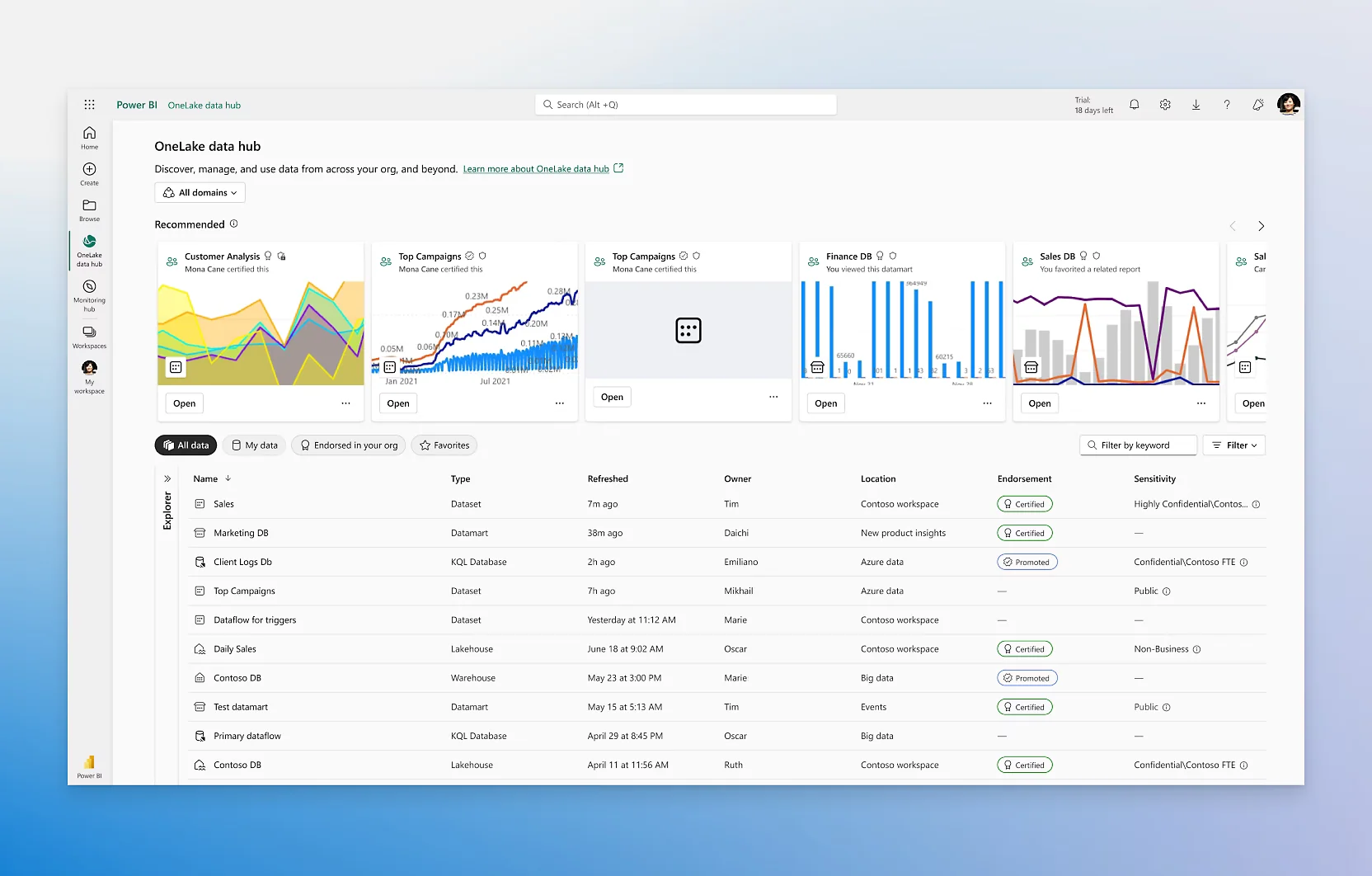
Further Reading: Data Governance in Power BI
What Should You Expect from a Power BI Consulting Partner During These Updates?
What A Partner Should Provide?
- Advisory and roadmap alignment: Translate Microsoft update cycles into tailored adoption plans that fit your enterprise data goals.
- Migration and optimization support: Manage Azure Maps conversion, Dataflows Gen2 setup, and KPI migration with minimal disruption.
- AI readiness programs: Develop prompt standards, validation workflows, and Copilot governance frameworks.
- Performance and compliance testing: Validate models, ensure accessibility compliance, and confirm scalability within Fabric.
Questions To Ask Your Partner:
- How will you validate AI-generated DAX for accuracy and compliance?
- What is your approach to migrating Metric Sets without losing KPI history?
- How do you plan to integrate Power BI Copilot with existing governance frameworks?
- Can you demonstrate proven success with Azure Maps and Dataflows Gen2 migration?
Why Partnership Matters?
Working with an experienced Power BI consultant minimizes risk, speeds adoption, and ensures alignment between data strategy and Microsoft’s evolving ecosystem. Expert support helps organizations adopt the 2026 features efficiently while maintaining quality and compliance.
Modernize Your Analytics Roadmap for 2026
Turn the latest Power BI 2026 updates into measurable business value. AlphaBOLD helps enterprises upgrade reporting, strengthen governance, and implement AI-ready analytics frameworks.
Request a ConsultationWhat Are the Risks of Delaying Migration or Adoption?
Delaying adoption of the Power BI 2026 updates can lead to unsupported visuals, governance gaps, data fragmentation, and costly remediation later in the year. Early migration ensures stability, compliance, and readiness for Microsoft’s next Fabric-integrated feature releases.
1. Unsupported Visuals and Retired Features:
2. Governance and AI Validation Risks:
AI-generated DAX with Copilot introduces efficiency but also requires oversight. Without governance frameworks, organizations risk using incorrect calculations or inconsistent model logic. Delays in building validation processes can cause data quality issues at scale.
3. Fragmented Data Architecture:
Waiting too long to adopt Dataflows Gen2 and lakehouse exports prevents enterprises from building reusable, governed data products. Fragmented models make cross-department reporting less efficient and raise integration costs over time.
4. Increased Migration Costs Later:
5. Missed Performance And AI Gains:
Power BI Desktop for ARM and Copilot modeling improves performance and reduces manual workload. Delayed upgrades mean lost productivity and missed opportunities to operationalize AI-assisted analytics across the organization.
Executive Insight
Frequently Asked Questions About Power BI 2026 Updates
The Power BI 2026 updates aim to enhance AI-assisted modeling, improve data reuse through Dataflows Gen2, and modernize visuals with Azure Maps. These improvements support more accurate reporting and faster, smarter business insights.
The updates expand Copilot’s ability to write DAX queries and assist in model creation. Teams will need governance rules and validation checks to ensure accuracy when using AI-generated logic.
Conduct a full system audit, review visuals and dataflows, and allocate budget for migration and training. Planning early helps ensure smooth adoption and prevents data disruptions.
A consulting partner can manage technical migrations, design governance frameworks, and train internal teams on new Power BI features. This support helps organizations adopt updates faster and with reduced risk.
Yes, the updates align with Microsoft Fabric’s unified data ecosystem. Features like Dataflows Gen2 and lakehouse exports are part of the broader Fabric integration strategy for enterprise analytics.
Conclusion: Plan Your Next Steps with AlphaBOLD
The Power BI 2026 updates represent more than routine product enhancements. They mark a strategic shift toward AI-driven analytics, unified data architecture, and intelligent visualization. Acting now ensures your organization enters 2026 ready for innovation rather than reacting to deprecations or compatibility issues.
At AlphaBOLD, our Power BI experts help enterprises modernize their data environments, integrate Microsoft Fabric-ready architectures, and build governed AI adoption plans that align with Microsoft’s latest roadmap.
Explore Recent Blog Posts