
Table of Contents
Introduction
As organizations adapt to hybrid work, collaboration tools have become the backbone of productivity and communication. Employees are dividing their time between home and the office, and teams now rely on digital platforms to stay connected, share ideas, and manage workflows efficiently.
A recent Stanford study show that hybrid work has become a long-term operating model for many organizations, with employees continuing to favor flexibility over fully office-based roles
This shift highlights a critical truth: selecting the right collaboration platform is now a strategic decision that directly influences engagement, efficiency, and employee satisfaction. With so many options available, understanding how leading tools compare in functionality, flexibility, and integration has never been more important.
In this blog, we’ll discuss how today’s collaboration tools for businesses: Google Workspace, Microsoft SharePoint, Trello, and Asana, address the evolving needs of hybrid teams and help businesses stay aligned in a distributed work environment.
What Are the Top Collaboration Tools for Hybrid Teams?
Collaboration tools connect distributed teams, streamline workflows, and eliminate productivity barriers. They ensure teams remain aligned, whether managing projects, sharing files, or hosting virtual meetings.
Without an integrated collaboration platform, organizations often face communication gaps, inefficient workflows, data silos, security risks, and more.
Let’s have an overview of these collaboration tools for businesses.
1. Google Workspace:
Google Workspace remains a top choice for businesses seeking simplicity and real-time collaboration within a unified ecosystem. It combines productivity, communication, and file management tools designed for seamless teamwork.
It’s ideal for teams that prioritize integrated document collaboration and cloud-based accessibility across devices.
Key Features:
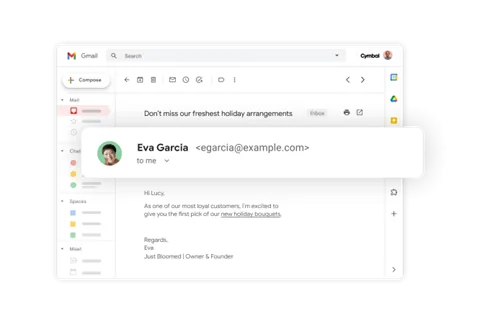
- Professional Communication: Custom business email through Gmail for branded and secure correspondence.
- Scheduling and Organization: Shared calendars to simplify team coordination and reduce meeting overlaps.
- Instant Messaging: Google Chat for quick, real-time communication within and across departments.
- Integrated Productivity Suite: Access to Docs, Sheets, Slides, Drive, Meet, and Sites for document collaboration, file sharing, and virtual meetings, all within one interface.
Security: Advanced cloud-based controls and data protection that minimize breach risks and ensure compliance.
Usage: Email with a custom domain, secure cloud file sharing, collaboration from anywhere, compatibility with Microsoft file types, and quick setup of team profiles. Teams can collaborate in real-time in Docs while video conferencing via Google MeetIdeal.
Use Cases: Best for teams requiring tight integration of email and document editing tools.
Pros: Streamlined workflow, excellent real-time collaboration capabilities, strong mobile support.
Cons: Limited advanced project management features can be costly for larger teams.
| Pros | Cons |
|---|---|
|
Excellent real-time editing and collaboration |
Limited project management capabilities |
|
Easy setup and strong mobile experience |
Costs can scale quickly for larger teams |
|
Seamless integration across Google tools |
Offline functionality can be inconsistent |
2. Microsoft SharePoint:
Microsoft SharePoint is a robust collaboration and content management platform that centralizes communication, document storage, and project collaboration. It integrates deeply with Microsoft 365, making it a preferred choice for organizations prioritizing security, scalability, and enterprise-level governance.
It’s ideal for enterprises that require secure, centralized content management and need to integrate collaboration within the Microsoft 365 ecosystem.
Key Features:
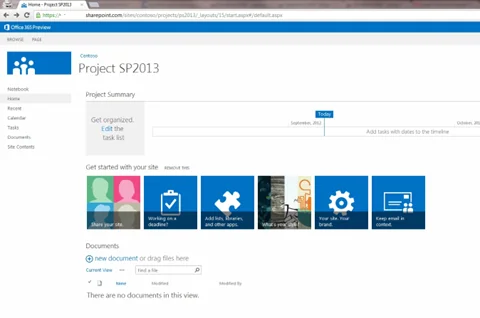
- Centralized Workspace: Provides shared document libraries and team sites to organize files, projects, and communication in one location.
- Seamless Microsoft 365 Integration: Natively connects with Teams, OneDrive, Outlook, and Power Automate for smooth workflows and automated processes.
- Advanced Security and Compliance: Offers granular permissions, data loss prevention, and compliance controls for regulated industries.
- Customizable Intranet and Portals: Enable organizations to build branded intranet sites for internal communication and knowledge sharing.
- AI-Powered Search: Delivers intelligent content discovery, making it easier for teams to locate files and insights quickly.
For more insights, read more: What Is Windows SharePoint Services (WSS)? Everything You Need to Know!
| Pros | Cons |
|---|---|
|
Strong integration with Microsoft 365 apps |
Requires initial configuration and user training |
|
Excellent document management and version control |
Customization can be complex without IT support |
|
High-level security and compliance capabilities |
Interface can feel heavy for small teams |
Build a SharePoint That Fits Your Business
Get custom-built configurations, tailored SharePoint portals, and intranets that align with your workflows and enterprise needs.
Request a Demo3. Trello:
Trello is a visual project management tool built around boards, lists, and cards, allowing teams to organize tasks and track progress intuitively. It’s widely adopted for its simplicity, flexibility, and suitability for small and large organizations managing agile workflows.
It is best suited for teams managing agile projects, marketing campaigns, or departmental workflows that benefit from visual task tracking and quick updates.

Key Features:
- Visual Task Management: Kanban-style boards provide clear visibility into project status, ownership, and timelines.
- Automation with Butler: Built-in automation streamlines repetitive actions, such as task assignments and due-date reminders.
- Team Collaboration: Enables file sharing, comments, and tagging directly within cards to centralize communication.
- Integration Flexibility: Connects with tools like Slack, Google Drive, and Microsoft Teams to maintain workflow continuity.
- Cross-Device Accessibility: Cloud-based interface accessible on desktop and mobile for remote and hybrid teams.
| Pros | Cons |
|---|---|
|
Intuitive interface with minimal learning curve |
Limited scalability for complex enterprise workflows |
|
Excellent visibility through Kanban-style boards |
Advanced features require paid plans |
|
Easy automation setup with Butler |
May lack built-in reporting and analytics tools |
4. Asana:
Asana is included in this list of collaboration tools for businesses due to its structured work management platform that helps teams plan, organize, and track department tasks. It’s known for combining project visibility with advanced workflow automation, making it ideal for teams managing multiple projects and stakeholders simultaneously.
It’s ideal for organizations managing large-scale projects that require transparency, accountability, and workflow standardization across teams.
Key Features:
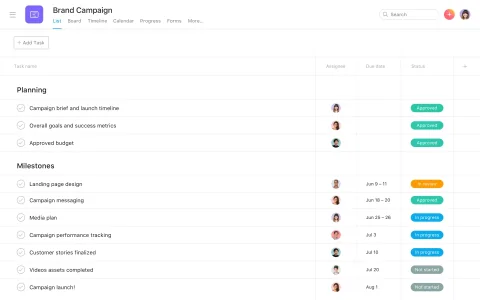
- Project and Task Management: This tool allows teams to create projects, assign tasks, set deadlines, and monitor progress from a centralized dashboard.
- Workflow Automation: Streamlines repetitive actions using custom rules and triggers for consistent execution.
- Multiple View Options: Supports list, board, timeline, and calendar views for flexible project visualization.
- Cross-Functional Collaboration: Integrates with Slack, Microsoft Teams, and Google Workspace to connect communication with task management.
- Performance Tracking: Includes dashboards and workload features to monitor team capacity and project health in real time.
| Pros | Cons |
|---|---|
|
Strong project tracking and reporting tools |
Can feel overwhelming for small teams |
|
Excellent workflow customization and automation |
Limited offline functionality |
|
Integrates easily with multiple third-party apps |
Premium features locked behind higher-tier plans |
How to Choose Effective Collaboration Tools for Business?
Collaboration tools for business offer unique strengths depending on an organization’s size, structure, and collaboration style. While Google Workspace focuses on seamless document collaboration, Microsoft SharePoint delivers enterprise-level security and governance. Trello provides visual task management for agile teams, and Asana combines structure with automation for complex project tracking.
The right choice depends on aligning platform capabilities with organizational goals. Before implementation, enterprises should assess integration requirements, security needs, scalability, and user adoption potential. Evaluating how each tool complements existing technology ecosystems, such as Microsoft SharePoint vs. Google Workspace, can significantly improve adoption and productivity outcomes.
See how Genomic Healthcare transformed its processes using our SharePoint services: Intranet Modernization For Genomic Healthcare Company With SharePoint
Comparison Overview:
Here is the comparison across usability & learning curve, integration, customization & scalability, and pricing & value for money for the four workspace collaboration tools:
| Tool | Best for | Integration | Usability | Customization & Scalability | Pricing |
|---|---|---|---|---|---|
|
Google Workspace |
Distributed teams needing real-time collaboration |
Strong within Google ecosystem; supports third-party add-ons. |
Low barrier to entry; familiar tools ease adoption. |
Moderate customization; scales well for many sizes. |
Currently at US $6.30/user/month for Business Starter. |
|
Microsoft SharePoint |
Large enterprises with governance, compliance needs |
Deep integration with Microsoft 365 apps (Teams, OneDrive, Power Platform) |
Higher learning curve; setup and users may require training. |
High customization and scalable architecture for enterprise deployments. |
Subscription cost starts low, but implementation & ongoing costs may be significant. |
|
Trello |
Small to mid-sized teams needing visual task tracking |
Extensive integrations via Power-Ups (Slack, Google Drive, MS Teams) |
Very intuitive; minimal onboarding required. |
Customizable boards and workflows; scalability good up to moderate complexity. |
Free tier available; Standard from ~US $5/user/month. |
|
Asana |
Cross-functional teams needing structured workflow management |
Broad integration (100+ apps including Slack, JIRA, Dropbox) |
Moderate learning curve; basic features easy, advanced features require time. |
Strong customization, workflow automation and scales well across team sizes. |
Free tier for small teams; US $10.99/user/month (Starter) and US $24.99/user/month (Advanced). |
Selecting the best collaboration tools for business means aligning your team’s needs with each platform’s strengths, ensuring the best balance between functionality, usability, and long-term value.
Tailor SharePoint to Your Enterprise Needs
Transform SharePoint into a fully customized collaboration hub that reflects your organization’s structure, compliance needs, and user experience goals.
Talk to an ExpertConclusion
In this comparison of leading collaboration platforms, we reviewed the features, usability, integrations, customization flexibility, and pricing models of Google Workspace, SharePoint, Trello, and Asana. Each tool has strengths; Google Workspace and Trello are ideal for teams seeking simplicity and quick adoption. At the same time, SharePoint and Asana provide robust capabilities that are better suited for large-scale, structured environments.
Partnering with AlphaBOLD can ensure a smoother implementation journey for organizations operating within the Microsoft ecosystem. As a trusted Microsoft partner with deep expertise in SharePoint consulting, AlphaBOLD helps businesses tailor the platform to their specific workflows, enhance integration across tools, and maintain security and compliance standards, turning collaboration into a strategic advantage.
FAQs
Google Workspace suits simple collaboration, while SharePoint offers scalability, security, and Microsoft 365 integration for enterprises.
SharePoint delivers stronger control, governance, and integrations; Google Workspace and Trello are easier for smaller teams.
Yes. SharePoint can be tailored with custom portals, automated workflows, and CRM or ERP integrations.
Focus on usability, integration, scalability, and security to ensure the tool aligns with your hybrid work needs.
Not with expert help. AlphaBOLD ensures smooth, secure migration while preserving data and permissions.