Dynamics 365 Customer Service Apps: Which Solution is Best for Your Business in 2026

Introduction
Microsoft continues to release new features with each update to provide better customer service solutions. The pace of innovation can be overwhelming, particularly with recent advancements in AI and platform changes.
Selecting the right Dynamics 365 Customer Service application depends on your business requirements, representative workflows, and channel strategy. Multiple applications exist under the customer service umbrella, and understanding their differences helps you make informed decisions.
In this blog, we will discuss the primary customer service applications available today, explain what happened to legacy solutions like Unified Service Desk, and help you identify which solution, or combination of solutions, works best for your organization. We’ll also cover the latest Copilot capabilities and how Microsoft’s AI strategy impacts your customer service technology decisions.
Which Dynamics 365 Customer Service App Should You Choose?
The right application depends on your business requirements, team size, and channel strategy. Microsoft offers several customer service applications, each built for specific workflows and service delivery models.
Understanding these options helps you select the solution that reduces resolution time, improves customer satisfaction, and supports your service representatives effectively.
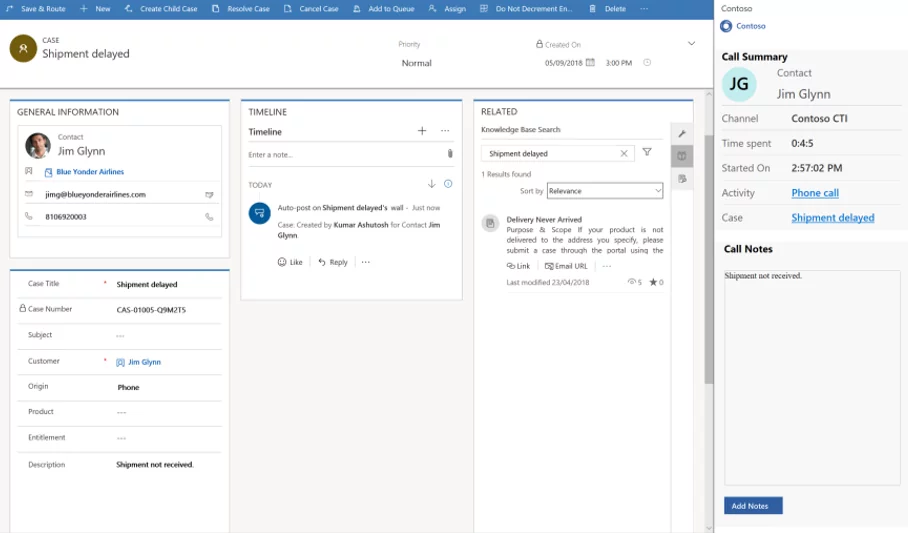
Copilot Service Workspace
Copilot Service Workspace (formerly Customer Service Workspace) is Microsoft’s flagship cloud-based desktop for service representatives, featuring a modern interface with multi-session capabilities and embedded AI. The application replaced Customer Service Hub as the default for new Enterprise license customers starting February 2025.
The workspace enables representatives to handle multiple customer interactions simultaneously without losing context. Key capabilities include:
- Multi-session management for concurrent case handling across channels
- Embedded Copilot for real-time suggestions, case summaries, and knowledge retrieval
- Unified inbox with customizable filters and task prioritization
- Productivity tools, including session templates, macros, and keyboard shortcuts
- Native AI capabilities powered by organizational knowledge bases
Representatives get contextual assistance while working. Copilot generates case summaries, drafts responses, and surfaces relevant knowledge articles based on conversation history and customer data.
The application reduces time spent on administrative tasks. Representatives can summarize cases and conversations in seconds rather than manually typing notes. Copilot requires approximately 38 words to generate a summary and can process up to 100,000 published knowledge articles.
Multi-session support allows representatives to work on multiple cases without closing tabs or switching applications. Each session maintains its own context, forms, and data, which reduces errors and improves response times.
Organizations using the workspace report faster case resolution and improved first-contact resolution rates through better access to knowledge and more efficient workflows.
Further Reading: How To Use The New Automatic Record Creation Experience In The Unified Interface To Convert Incoming Emails To Cases
Unified Service Desk
Microsoft announced that Unified Service Desk (USD) will be deprecated on April 1, 2026, with final support ending June 30, 2028. The company stopped investing in new USD features and recommends migrating to Copilot Service Workspace.
USD was a thick client application that integrated multiple systems into a single agent desktop. While powerful and customizable, it required installation on local machines and lacked modern cloud capabilities.
The platform was designed for on-premises environments and cannot support modern AI features, such as Copilot and autonomous agents. Cloud-based solutions offer better performance, faster updates, and tighter integration with Microsoft’s AI strategy.
Organizations still using USD should plan migration before the deprecation date. Microsoft provides transition guides and tools to help move configurations to the Copilot Service Workspace.
Here are some of the key features of USD.
- Integrated Agent
- Session management
- Agent Guidance
- Centralize management
- Omnichannel
Further Reading: Power of AI in Dynamics 365 Customer Services
Channel Integration Framework
Channel Integration Framework (CIF) provides JavaScript-based APIs that connect Dynamics 365 to third-party communication platforms. The framework standardizes how external systems integrate with customer service applications.
CIF 2.0 introduced critical capabilities, including:
- Session management comparable to Unified Service Desk, but cloud-based
- Session templates with reusable metadata combinations
- App tabs for displaying entity records and custom interfaces
- Notification templates for handling incoming interactions
- Platform independence across browsers and devices
The framework reduces the total cost of ownership by enabling plug-and-play integration with telephony providers, chat platforms, and other communication channels. Updates to service or channel providers happen seamlessly without disrupting the Dynamics 365 environment.
Customer Service Hub
Customer Service Hub remains the core module for case management and service operations. The application includes foundational capabilities that other solutions typically build upon.
Key features include:
- Case Management with configurable workflows and business rules
- Entitlements for tracking service contract terms
- Service Level Agreements (SLAs) with escalation paths
- Service Scheduling for appointment management
- Knowledge Management with article templates and versioning
- Case Routing with skill-based assignment
The Customer Service Hub app is no longer available for new organizations with Enterprise licenses. Existing customers continue to receive support, but new Enterprise customers automatically receive Copilot Service Workspace.
Recent updates focus on AI-driven automation and improved representative experiences:
- Timeline enhancements with better filtering and information density
- Knowledge article templates with drag-and-drop editors
- Modern SLAs powered by Power Automate for complex workflows
- Automatic record creation in Unified Interface with Flow integration
- Sentiment analysis across conversation channels
These improvements reduce manual work while maintaining comprehensive audit trails and compliance records.
Streamline Your Customer Service Technology with Experts
AlphaBOLD helps B2B enterprises deploy solutions that reduce case resolution time, improve customer satisfaction scores, and maximize representative productivity.
Request a DemoOmnichannel For Customer Service
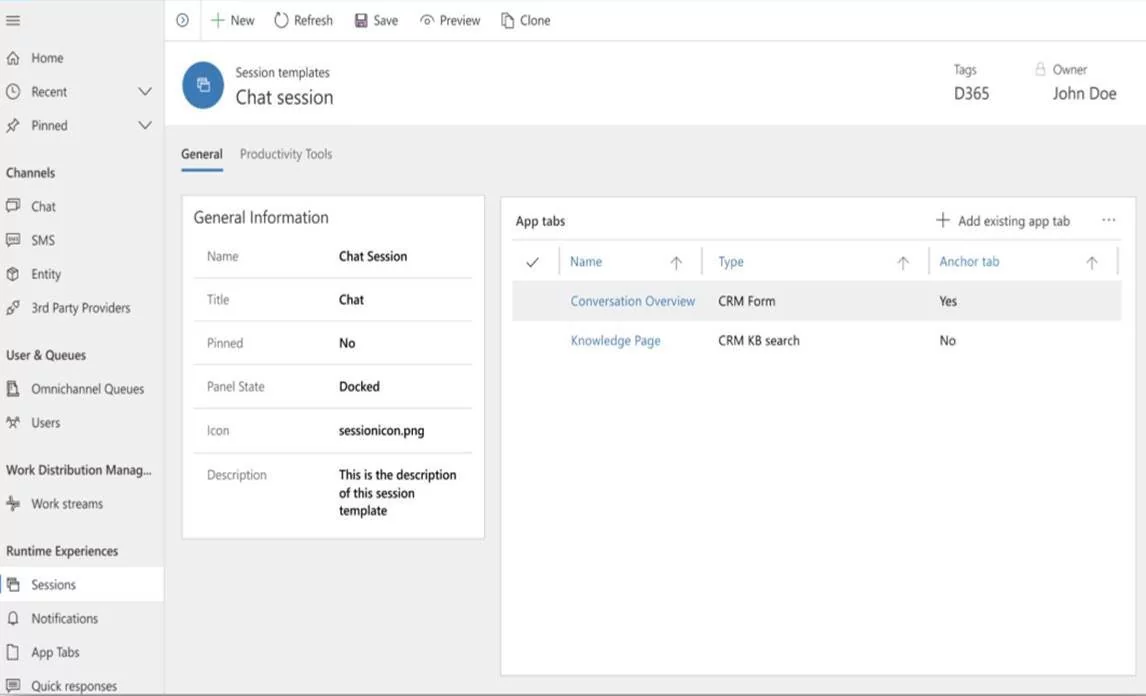
Omnichannel for Customer Service provides unified routing and engagement across digital channels. The solution handles chat, SMS, voice, social media, and messaging platforms through a single interface.
Chat Features
- Pre-chat and post-chat surveys for feedback collection
- Authenticated and unauthenticated visitor support
- Customizable widget design matching brand identity
- Proactive chat invitations based on behavior
Unified Routing
- Work distribution framework across all channels
- Skills-based routing with capacity management
- Priority-based assignment with workload balancing
- Queue management with real-time monitoring
AI and Bot Integration
Organizations can integrate bots built using Azure Bot Service, with escalation to human representatives, including full conversation transcript and context. Bot transcripts are stored in Dataverse for analysis and continuous improvement.
Supervisor Experience
- Real-time monitoring of ongoing conversations
- Sentiment analysis for proactive intervention
- Performance dashboards with key metrics
- Conversation insights across channels
Omnichannel integrates with Channel Integration Framework, allowing organizations to use their preferred telephony and messaging providers while maintaining unified routing and reporting.
How Does Copilot Transform Customer Service Operations?
Copilot utilizes generative AI throughout the service journey to enable businesses to deliver faster, more personalized, and consistent customer experiences. The technology appears throughout Dynamics 365 Customer Service applications.
Copilot capabilities for representatives include:
- Case summarization from multiple fields and interaction history
- Response drafting based on knowledge articles and previous solutions
- Knowledge search with natural language queries
- Email composition with context from case details
- Chat assistance with suggested responses
Supervisors benefit from:
- Conversation insights, identifying trends and issues
- Performance analytics with AI-powered recommendations
- Staffing optimization based on historical patterns
- Quality monitoring with automated evaluations
The AI learns from your organization’s knowledge base, case history, and approved solutions, improving accuracy over time.
Get On-Demand Support for Dynamics 365 Customer Service
Maintain peak performance with flexible support that scales with your needs. Our team provides ongoing assistance for configuration changes, user training, troubleshooting, and feature adoption.
Request a DemoConclusion
Choosing the right Dynamics 365 Customer Service app comes down to your channels, team structure, and the level of automation you want to support. Each application serves a different need, from multi-session work in Copilot Service Workspace to core case handling in Customer Service Hub and full digital engagement through Omnichannel.
As Microsoft shifts toward AI-supported service operations and retires older tools like Unified Service Desk, planning your roadmap early helps avoid disruption and keeps your representatives working efficiently.
If you need help comparing options or building a transition plan, AlphaBOLD can guide you through the selection and implementation process, ensuring your customer service environment remains consistent, scalable, and ready for future updates.
FAQs
Copilot Service Workspace supports multi-session work with built-in Copilot features. The Customer Service Hub is a single-session tool and does not include Copilot tools.
You can use it until June 30, 2028, but no new features will arrive after April 1, 2026. Plan a move to the Copilot Service Workspace to avoid loss of support.
CIF provides APIs for custom channel connections. Omnichannel offers ready-made channels with routing, queuing, and a full agent interface.
It supports chat, SMS, voice, Teams, Facebook, WhatsApp, Twitter, WeChat, and custom channels with unified routing across all of them.
It is included with Enterprise licenses. Professional license users stay on Customer Service Hub unless they upgrade.
Explore Recent Blog Posts