Transitioning from Legacy Systems to Dynamics 365 Field Service

Introduction
Many field service teams today are still relying on systems that were implemented years ago. While these tools may continue to function, they often create operational gaps that are difficult to manage at scale.
Common challenges include:
- Manual scheduling and dispatch delays
- Limited visibility into ongoing service work
- Disconnected systems across service, finance, and inventory
- Heavy reliance on spreadsheets or manual workarounds
Over time, these issues slow down operations, reduce technician productivity, and make it harder to maintain consistent service quality.
As customer expectations increase and service operations become more complex, businesses are now actively transitioning from legacy systems to Dynamics 365 Field Service to improve coordination, visibility, and overall efficiency.
Dynamics 365 Field Service provides a more connected and scalable way to manage field operations, helping teams move away from reactive processes toward more structured and efficient workflows.
Transitioning from Legacy Systems to Dynamics 365 Field Service: How Can it Resolve Your Issues?
Many teams continue to face challenges in achieving consistent outcomes with legacy field service systems. While platforms like Salesforce and Oracle offer strong capabilities, organizations often encounter limitations in accessibility, flexibility, and the ability to adapt to evolving operational needs.
The evolution of field service management has been highly impressive. If you’ve been leading or supervising such a team for some time now, you’ve likely witnessed the shift from basic manual methods to the advanced, technology-driven systems we rely on today.
Why Are Legacy Field Service Systems Holding Businesses Back?
In most cases, legacy systems create operational gaps due to:
- Manual scheduling and dispatch processes
- Disconnected workflows across service, finance, and inventory
- Delayed or inconsistent data updates
- Limited visibility into field activities
As service operations scale, these issues lead to:
- Inefficient resource allocation
- Slower response times
- Reduced technician productivity
Why Are AI Investments Not Delivering Expected Results?
At the same time, many organizations are investing in AI and automation to improve service delivery. However, turning these investments into measurable outcomes remains a challenge.
Research from McKinsey & Company shows that while AI adoption is widespread, only a small percentage of organizations have been able to integrate it effectively into day-to-day operations.
This gap is often caused by:
- Outdated systems that cannot support modern capabilities
- Fragmented data environments
- Lack of real-time coordination across teams and systems
How Is Field Service Management Evolving?
Field service operations are shifting from manual processes to more connected and data-driven models. Modern systems now support:
- Real-time scheduling and dispatch
- Mobile-first execution for field technicians
- Integrated data across service, finance, and operations
- Faster, more informed decision-making
Let’s now explore how these challenges are being addressed and the modern benefits of Microsoft’s field service management software.
Benefits of Transitioning from Legacy Systems to Dynamics 365 Field Service Software
Undertaking a transition from legacy systems to a modern platform requires planning and effort. However, organizations that successfully make this shift often see measurable improvements in efficiency, visibility, and service delivery.
Below are the key benefits of transitioning from legacy systems to Dynamics 365 Field Service:
1. Improved Scheduling and Resource Optimization
Legacy systems often rely on manual scheduling, which can lead to delays, conflicts, and underutilized resources.
With modern scheduling capabilities, organizations can:
- Automatically match technicians based on skills, availability, and location
- Adjust schedules in real time as priorities change
- Reduce travel time and improve job allocation
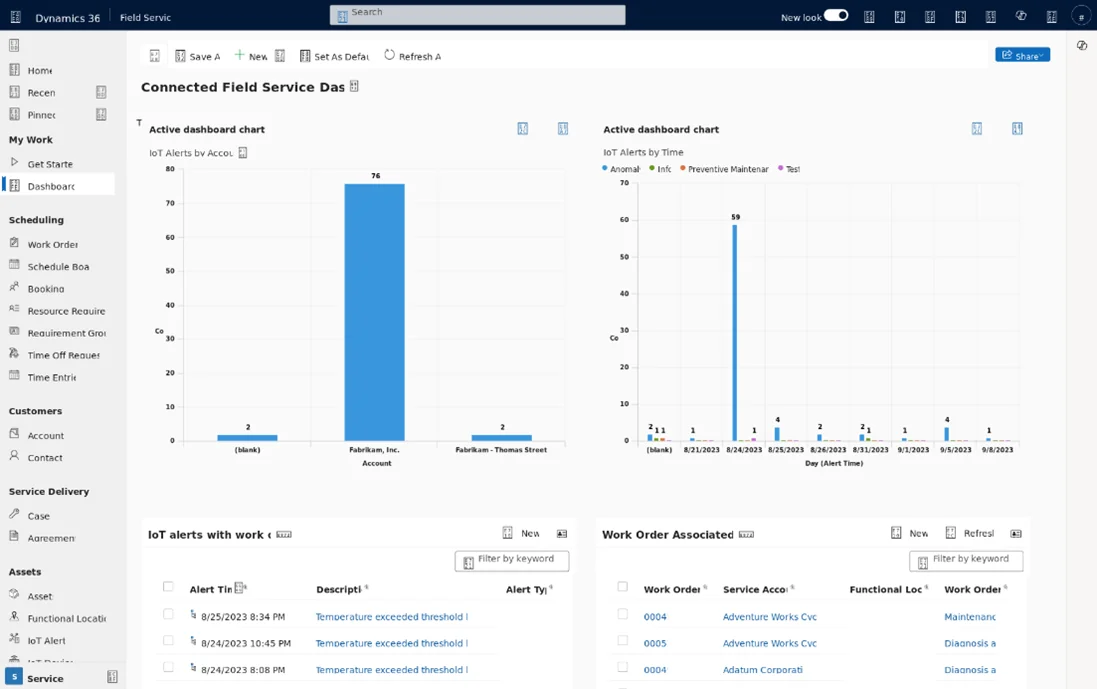
Recent advancements, including AI-assisted scheduling and capabilities such as the Scheduling Operations Agent, help teams move toward more consistent and efficient dispatch processes by continuously evaluating scheduling decisions, adjusting plans in real time, and reducing reliance on manual coordination.
2. Better Visibility Across Service Operations
One of the biggest limitations of legacy systems is the lack of real-time visibility.
By transitioning from legacy systems to Dynamics 365 Field Service, organizations can:
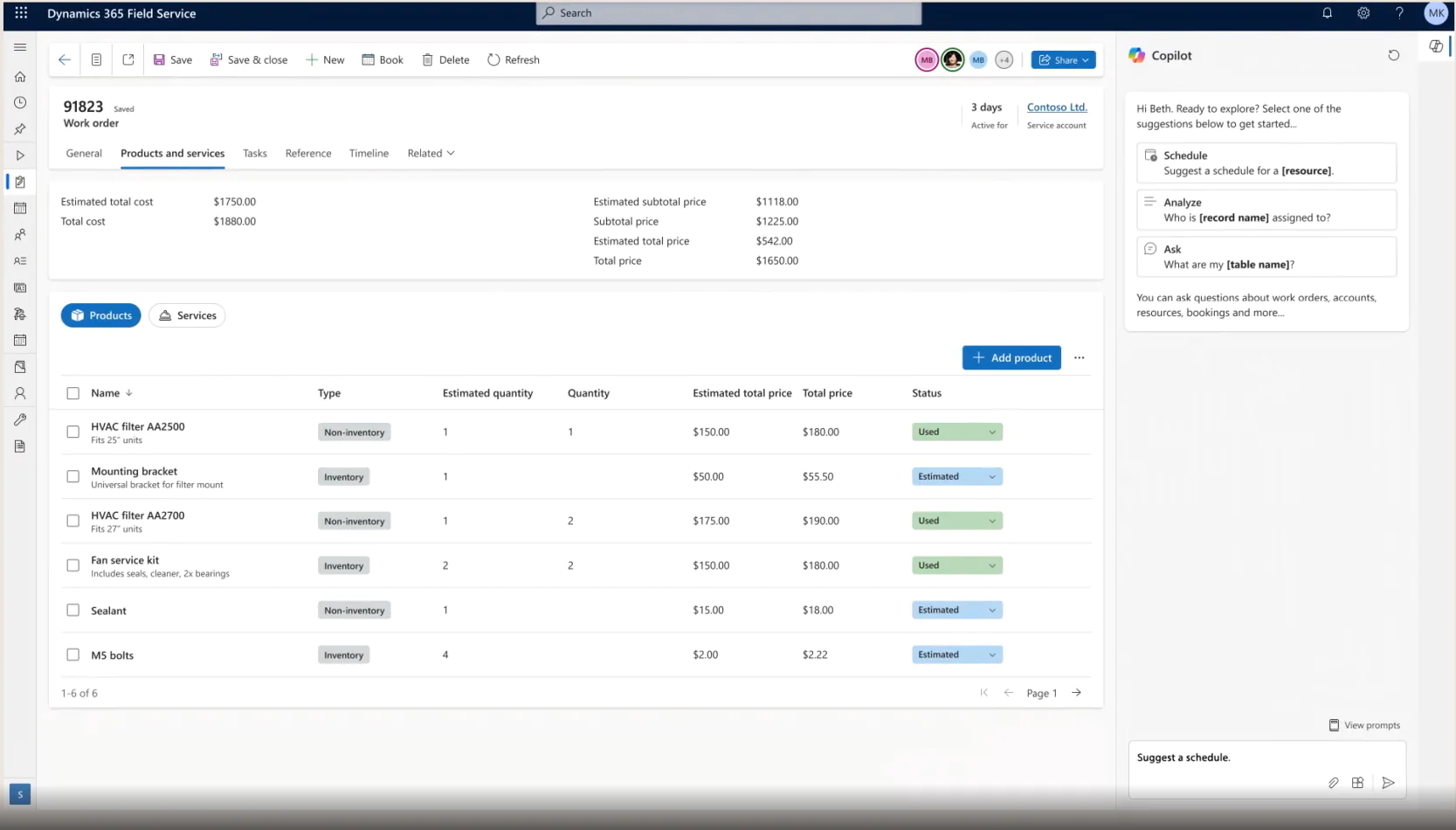
- Track work orders and technician activity in real time
- Monitor service performance across locations
- Access accurate data for faster decision-making
This level of visibility helps reduce delays and improves overall coordination between teams.
You may also like: Benefits of Adopting Dynamics 365 Field Service for Your Business.
3. Stronger Integration with Business Systems
Legacy tools often operate in isolation, making it difficult to connect service operations with other parts of the business.
A modern field service platform supports integration with:
- Finance and ERP systems
- Inventory and supply chain processes
- Customer and service data across CRM
This connected approach ensures that data flows consistently across the organization, improving both operational efficiency and reporting accuracy.
4. Enhanced Mobile Experience for Field Teams
Field technicians rely heavily on mobile tools to perform their work efficiently.
Modern mobile capabilities provide:
- Access to work orders, customer details, and service history on-site
- Offline functionality for low-connectivity environments
- Faster updates and reduced administrative effort
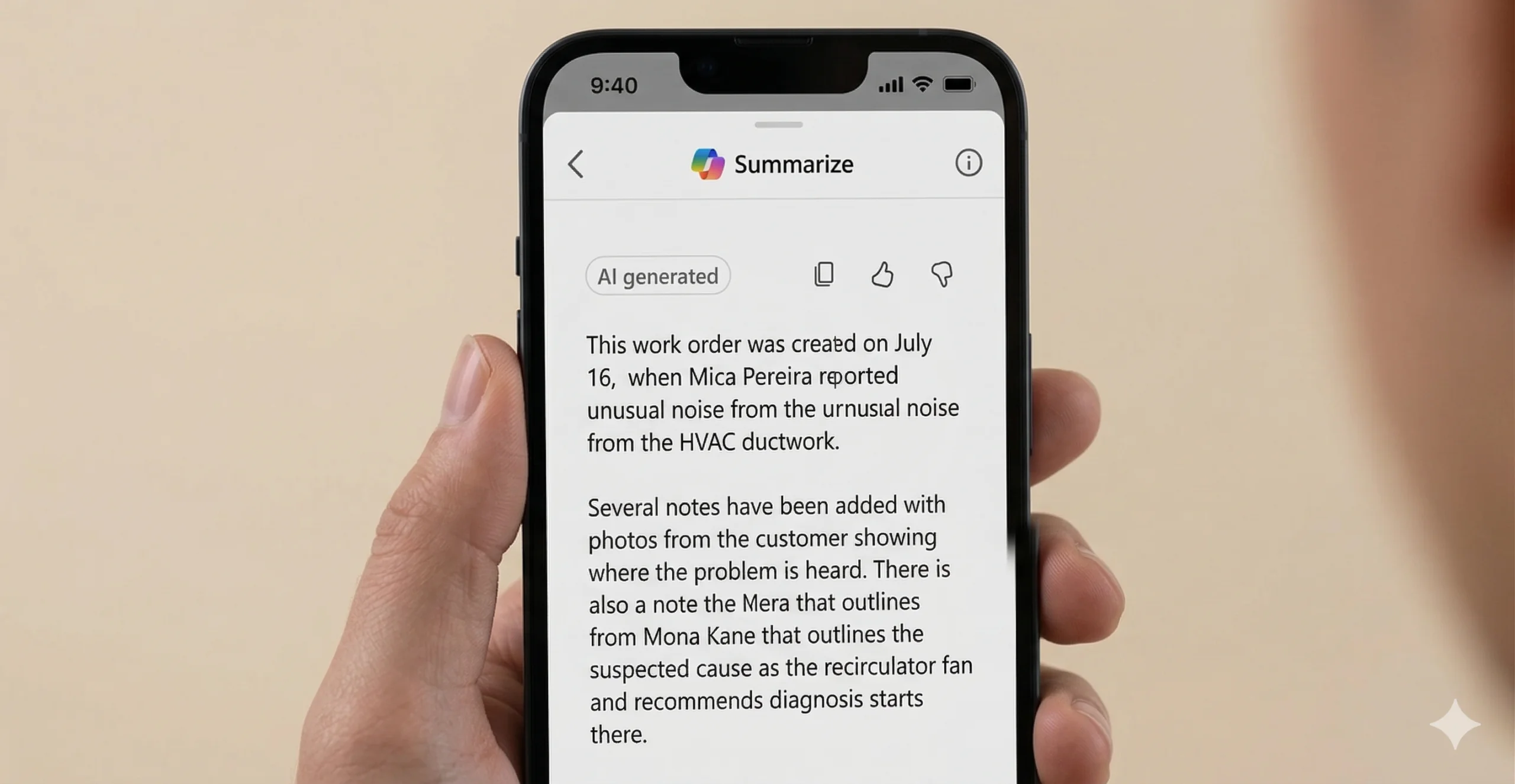
In addition, newer capabilities within Dynamics 365 Field Service are bringing AI-powered assistance directly into the mobile experience. Technicians can receive contextual guidance, view summarized job details, and access relevant information without switching between systems.
This reduces the need for manual lookups and helps technicians make faster, more informed decisions while on-site.
Organizations that equip their teams with mobile tools and real-time data often see improvements in productivity and first-time fix rates.
5. Practical Use of AI and Copilot in Daily Workflows
Many organizations are investing in AI, but legacy systems often limit how effectively these capabilities can be applied.
With advancements in Dynamics 365 Field Service, Copilot and AI capabilities are now embedded directly into service workflows, supporting teams in practical ways:
- Generating summaries and updates for work orders
- Assisting with scheduling decisions based on real-time data
- Providing technicians with relevant information during service tasks
- Reducing manual data entry through automation
Research from McKinsey & Company shows that while AI adoption is widespread, operational integration remains a challenge. Platforms that embed AI into everyday workflows help bridge this gap and make these investments more effective.
You may also like: Using Copilot with Dynamics 365 Field Service.
6. Scalable and Flexible Operations
As service operations grow, systems need to support increasing complexity without adding manual overhead.
By transitioning from legacy systems to Dynamics 365 Field Service, organizations can:
- Scale operations without relying on additional manual processes
- Standardize workflows across teams and locations
- Adapt processes as business needs evolve
This flexibility allows organizations to maintain consistency while continuing to grow.
Do You Feel Restricted By Your Field Service Software?
If your current systems are limiting visibility, slowing down scheduling, or creating disconnected workflows, it may be time to take a more structured approach. See how transitioning from legacy systems to Dynamics 365 Field Service can help improve coordination, efficiency, and service delivery.
Request a DemoYou may also like: Leveraging Mobile Capabilities in Dynamics 365 Field Service.
Best Practices to Migrate to Dynamics 365 Field Service: What to Avoid?
Transitioning from legacy systems to Dynamics 365 Field Service is more than a technical upgrade. It requires aligning your processes, data, and teams to support more efficient and connected service operations.
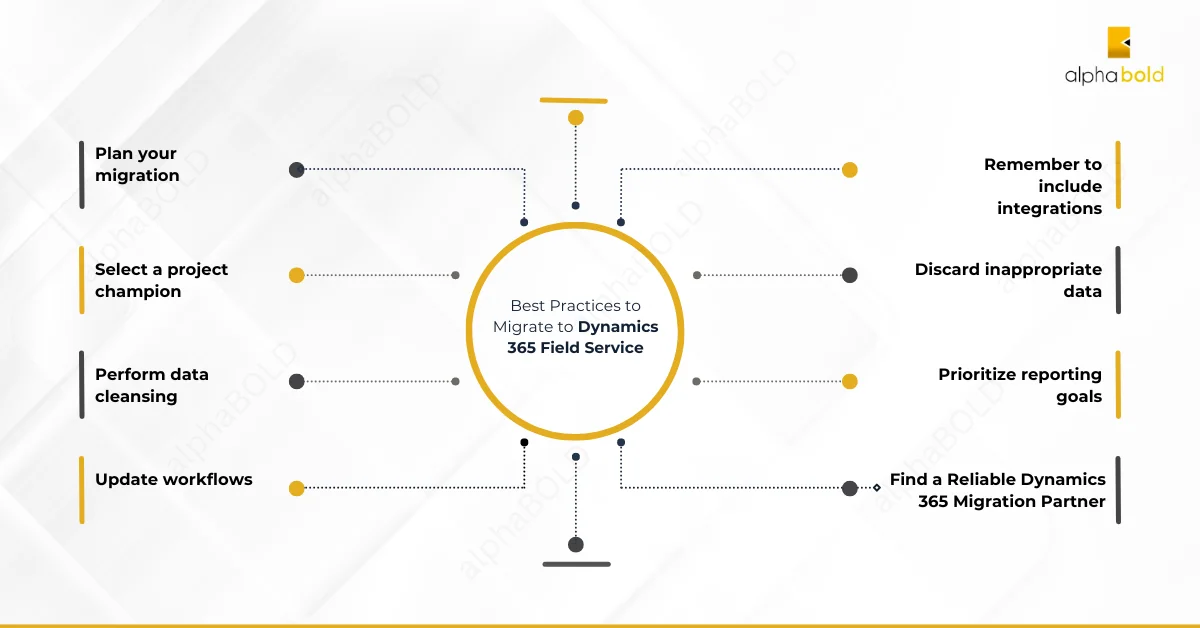
To ensure a smooth transition and long-term success, consider the following best practices:
1. Define Clear Objectives Before You Start
A successful migration begins with clarity.
- Identify the operational challenges you want to solve
- Define measurable goals such as response time, first-time fix rate, or service efficiency
- Align stakeholders across service, IT, and operations
Tip: In successful transitions we have supported, organizations that defined clear business outcomes early were able to measure impact faster and avoid unnecessary rework.
2. Assign Ownership with a Dedicated Project Lead
Migration projects often lose momentum without clear ownership.
- Assign a project lead who understands both business and operational needs
- Ensure they can coordinate between teams and stakeholders
- Give them authority to make decisions and remove blockers
Tip: We have seen projects move more efficiently when a single owner is responsible for aligning both technical and operational priorities.
3. Clean and Structure Your Data Early
Legacy systems often contain outdated or inconsistent data.
Before migration:
- Remove duplicate and irrelevant records
- Standardize data formats
- Validate critical service and customer information
Tip: Our customers who invested time in data preparation upfront experienced fewer reporting issues and smoother system adoption after go-live.
4. Redesign Workflows, Don’t Replicate Them
Migrating outdated workflows limits the value of a new system.
Instead:
- Identify manual or repetitive processes
- Introduce automation for scheduling, dispatch, and approvals
- Simplify workflows where possible
Tip: In many implementations, the biggest gains came from simplifying workflows rather than replicating existing processes.
5. Remember to Include Integrations:
Field service operations depend on multiple systems working together.
To get full value from your migration:
- Plan integration with ERP, CRM, and inventory systems
- Ensure consistent data flow across departments
- Avoid creating new data silos
Tip: Successful implementations we have worked on prioritize integration early, which helps avoid delays and ensures better visibility across operations.
6. Use AI and Copilot Capabilities Effectively
Modern field service platforms like Dynamics 365 Field Service already include built-in AI and Copilot capabilities. However, the value of these features depends on how well they are applied within day-to-day operations.
To get meaningful results:
- Identify where AI can support workflows, such as scheduling, work order insights, and technician guidance
- Ensure service data is accurate and accessible for better recommendations
- Define how AI-assisted decisions are reviewed and applied within your processes
These capabilities can help reduce manual effort, improve decision-making, and support technicians directly within their workflows.
Tip: In successful implementations we have worked on, organizations that start with specific use cases, such as scheduling optimization or work order summaries, tend to see faster and more measurable results.
7. Define Reporting and Performance Metrics Early
Reporting should be aligned with business goals from the start.
- Identify key KPIs such as technician efficiency, response time, and service quality
- Ensure your system is configured to track these metrics
- Use insights to continuously improve operations
Tip: Organizations that define KPIs before implementation are better able to track improvements and demonstrate ROI.
8. Work with an Experienced Implementation Partner
A structured approach to implementation reduces risk and improves outcomes.
Organizations transitioning from legacy systems to Dynamics 365 Field Service often benefit from working with experienced partners who can:
- Align the system with business processes
- Avoid common implementation pitfalls
- Support a smoother and more structured rollout
Tip: In many cases, we see organizations initially attempt to manage implementations internally or rely on standard deployment approaches, but later require additional support to align the system with real-world service operations. Engaging an experienced partner early can help avoid rework and ensure the platform delivers measurable value from the start.
Improve How Your Field Service Operations Run
Transitioning from legacy systems to Dynamics 365 Field Service can help you improve coordination, visibility, and day-to-day execution.
Schedule a demo to see how this can apply to your operations.
Request a DemoConclusion
Transitioning from legacy systems to Dynamics 365 Field Service is no longer just about replacing outdated tools. It is about improving how service operations are planned, executed, and measured across the organization.
As field service environments become more complex, organizations need systems that can support real-time visibility, better coordination, and more consistent service delivery. Modern capabilities such as AI-assisted scheduling, mobile-first workflows, and integrated data across systems are helping teams move away from reactive processes toward more structured and efficient operations.
However, the success of this transition depends not only on the technology, but on how well it is aligned with your business processes, data, and teams.
At AlphaBOLD, we work with organizations to help translate these capabilities into practical, day-to-day improvements. This includes aligning field service operations with ERP and CRM systems, structuring data for better reporting, and ensuring that features like AI and Copilot are applied in ways that deliver measurable value.
If you are evaluating how transitioning from legacy systems to Dynamics 365 Field Service can improve your operations, a structured approach can help you avoid common challenges and accelerate results.
Reach out to AlphaBOLD to discuss how your organization can plan and execute this transition with clarity and confidence.
Explore Recent Blog Posts