Table of Contents
Introduction
Enterprise Azure environments have reached a point where manual cloud management no longer scales. Platform teams are responsible for uptime, security, cost governance, and delivery speed across increasingly complex estates, often with the same headcount and rising expectations. The challenge is not knowing what to do. It is executing consistently, quickly, and safely across production environments.
Microsoft Copilot in Azure introduces a new execution layer for cloud operations. By embedding AI directly into the Azure portal and connected tools, Copilot allows teams to interact with their environment using natural language, generate infrastructure code, investigate incidents, and surface optimization opportunities based on real configurations and permissions.
This article examines how Copilot transforms daily Azure operations, delivering measurable productivity and cost benefits, and outlines the considerations organizations must take to adopt it responsibly at scale.
What is Microsoft Copilot in Azure?
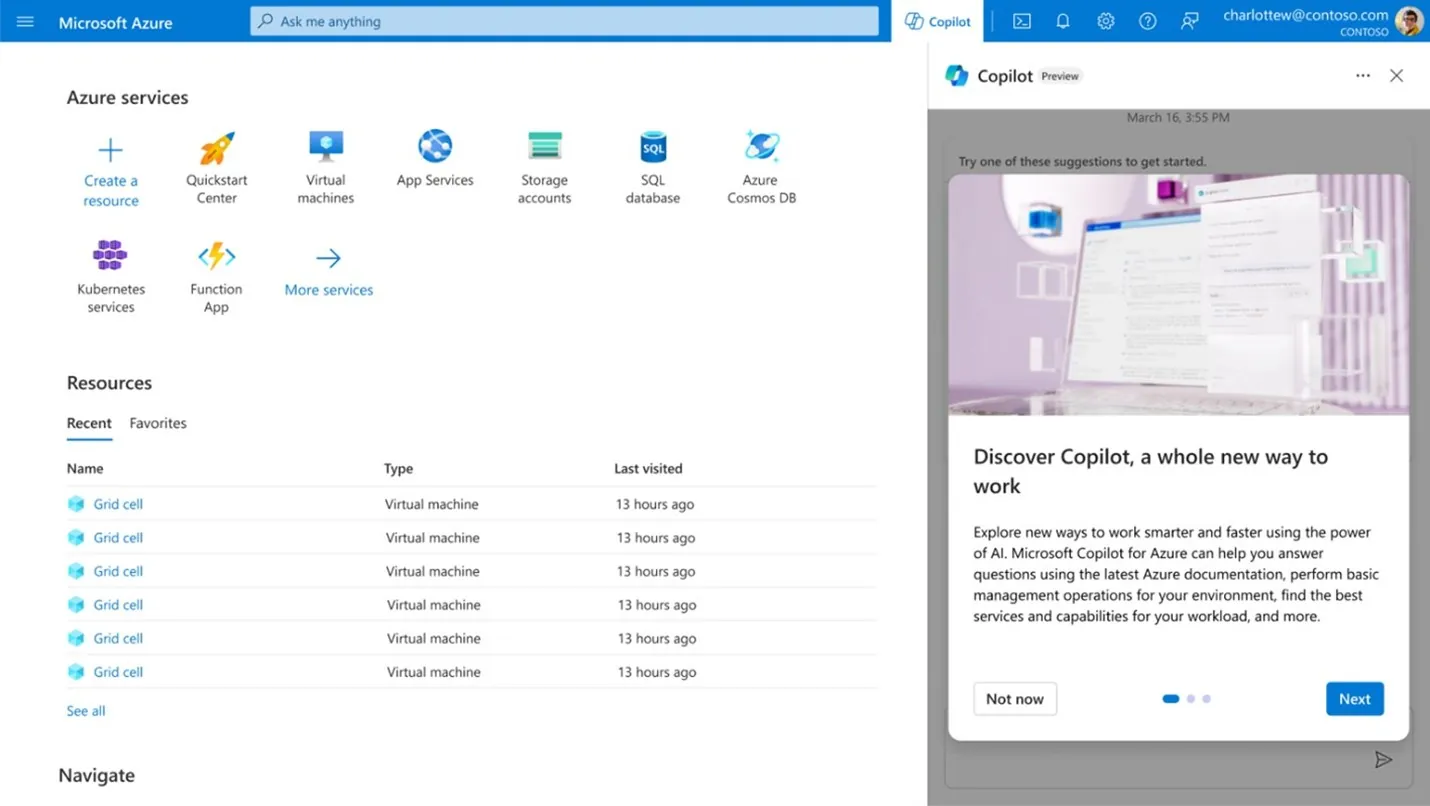
Microsoft Copilot in Azure is an AI-powered assistant designed to simplify cloud management. It understands your environment and Azure services, allowing you to describe tasks in natural language instead of using CLI commands or writing scripts.
You can use it to deploy applications, troubleshoot issues, monitor performance, or identify cost-saving and optimization opportunities, all with faster, context-aware guidance.
How Does It Work?
Copilot combines three key components to provide intelligent, context-aware assistance:
- Advanced Large Language Models (LLMs): Using Azure OpenAI Service, Copilot understands natural language, interprets intent, generates responses, and can create code.
- Azure Control Plane Integration: Copilot has direct access to Azure’s service schemas and capabilities, understands service relationships, and follows best practices.
- Environment Awareness: Copilot knows your specific resources, configurations, and permissions, providing recommendations tailored to your environment.
You can use Copilot in the Azure portal, the Azure mobile app, or via the AI Shell for command-line interactions.
Practical Capabilities of Microsoft Copilot in Azure
Microsoft Copilot in Azure supports the full cloud lifecycle with capabilities that simplify daily operations:
- Design and Architecture: Copilot helps plan applications and services by recommending the right Azure services, ensuring configurations follow organizational policies, and suggesting architectures aligned with the Azure Well-Architected Framework.
- Operations and Execution: Copilot answers technical questions, generates commands, and executes tasks. From status checks to deploying infrastructures, you describe the task, and Copilot handles implementation.
- Optimization: Copilot identifies cost-saving, performance, security, and reliability improvements. Integrated with Azure Advisor, it provides actionable recommendations based on your actual resources.
- Troubleshooting: Copilot analyzes diagnostic data, explains errors, identifies root causes, and suggests remediation. For some issues, it can offer direct fixes.

How Copilot Transforms Your Azure Cloud Workflow Automation?
Here’s where Microsoft Copilot in Azure excels, converting manual, error-prone processes into automated workflows that save hours every day.
Streamlining Azure Cloud Workflows with Copilot:
Copilot simplifies infrastructure deployment. For example, to deploy a multi-tenant SaaS application on Azure Kubernetes Service, you can provide a natural language request, such as: “Deploy a scalable SaaS app on AKS with PostgreSQL backend, secure key storage, and monitoring.” Copilot then:
- Creates an architectural blueprint aligned with the Well-Architected Framework
- Analyzes technical trade-offs, such as performance vs. cost
- Generates Complete Terraform configurations ready for deployment
- Integrates with Azure Key Vault for secrets management
- Configures Application Insights for observability
It can open generated code in Visual Studio Code for the Web or create a pull request in GitHub, connecting AI-assisted planning with CI/CD pipelines.
You may also like: Simplify your Azure Infrastructure with Azure Blueprints

Migration Made Manageable:
If you’ve ever been involved in a cloud migration project, you know it’s typically a month-long endeavor filled with complexity. Copilot agents accelerate this process dramatically by:
- Guiding you through the migration journey with step-by-step recommendations
- Helping modernize legacy .NET and Java applications during the move
- Reducing end-of-support licensing costs by suggesting modern alternatives
- Automating significant portions of the migration workflow
Organizations that previously budgeted 6-9 months for major migrations are completing them in weeks, not because corners are being cut, but because the grunt work is automated and the expertise is always available.
Real-Time Observability Without Complexity:
Copilot enables monitoring and troubleshooting without deep KQL expertise. You can ask questions like:
- “Show CPU usage trend for my production VMs over the past week”
- “Why are my AKS pods restarting frequently?”
- “Are there any unusual spikes in my application error rates?”
It translates these into queries, analyzes results, and presents insights in plain language. Copilot can also troubleshoot integrations with tools like Datadog or Splunk and suggest fixes for data flow issues..
Proactive Optimization:
Copilot continuously identifies improvement opportunities through Azure Advisor, including:
- Cost: Downsizing underutilized VMs to save money.
- Performance: Recommending services like Azure CDN for lower latency.
- Security: Identifying unencrypted storage accounts and providing remediation steps.
- Reliability: Suggesting availability zones for critical databases.
You can explore recommendations, ask follow-up questions, and get step-by-step guidance without leaving the interface

Troubleshooting:
When issues occur in production, Copilot lets you describe the problem in natural language, such as “My Azure SQL Database can’t connect from Power BI” or “Frequent 500 errors from my App Service.” It analyzes diagnostics, identifies patterns, clearly explains the issue, and provides actionable remediation steps.
For some problems, Copilot can offer direct fixes, like reinstalling a malfunctioning extension on an Azure Arc-enabled server or resolving container restart loops in Azure Container Instances. This reduces mean time to resolution (MTTR), minimizing downtime and improving user experience.
Real-World Use Cases That Drive Business Value
Microsoft Copilot in Azure delivers measurable results across industries.
Global Enterprises Transforming Operations:
- Zeiss: Streamlined analytics workflows, reducing time from data to insight from days to hours, enabling faster customer-centric decisions.
- Volvo: Automated document processing with a custom Azure AI solution, saving approximately 10,000 manual hours annually, freeing staff for higher-value work.
Professional Services Seeing Measurable Impact:
- PwC: Simplified audit processes with Azure OpenAI Service, increasing transparency and turnaround speed, enhancing client satisfaction.
- Intertech: Combined GitHub Copilot and Azure OpenAI Service, improving code quality and reducing daily internal emails by 50%, allowing more focus on critical tasks.
Operational Savings Across Industries:
- Epiq: Automated employee processes using Copilot and Power Platform, saving over $500,000 annually and recovering 24,000 work hours per year.
- PG&E: Used generative AI to handle 40% of helpdesk requests, saving over $1 million annually and improving response times.

Enhancing Security Operations
WTW, a risk advisory and insurance brokerage, utilizes Microsoft Copilot for Security to enhance its cyber defense. Security teams can ask complex questions in natural language to investigate threats, accelerating threat hunting and incident response. Faster response times reduce the risk of breaches and limit potential impact.
WTW: Applied Copilot for Security to accelerate threat investigation and incident response, improving cyber defense speed and effectiveness.
Common Scenarios Organizations Can Implement Today:
- Infrastructure Management: Deploy and manage VMs, Kubernetes clusters, and storage accounts using natural language commands
- Code Generation: Create Azure CLI scripts, PowerShell automation, Terraform configurations, and Kubernetes YAML files
- Security Analysis: Query attack surfaces, review firewall logs, and investigate incidents
- Resource Discovery: Understanding your Azure environment through natural language queries powered by Azure Resource Graph
- Network Visualization: Generating topology diagrams and troubleshooting connectivity issues
These capabilities are available now and are transforming how organizations manage cloud infrastructure, improve efficiency, and reduce costs.
What Measurable ROI Does Microsoft Copilot in Azure Deliver?
Productivity Gains:
Cloud teams spend a large share of their time on repetitive, low-value tasks. Copilot reduces this overhead by handling routine work through natural language prompts. Industry studies report up to a 70% increase in productivity for teams using Copilot, with the largest gains coming from day-to-day operational tasks.
- Infrastructure-as-Code creation: Writing Terraform for a standard three-tier Azure setup often takes 4 to 6 hours. With Copilot, teams describe the architecture, review the output, and finalize it in under 30 minutes.
- Log and query analysis: KQL queries that once required documentation checks and trial runs can now be generated directly from plain-language questions, cutting analysis time from 30 minutes to seconds.
- Automation scripts: Common Azure CLI scripts that previously took hours to write and test can now be created and refined in minutes.
Across a team, these savings add up. Many organizations recover 20-30% of their engineering capacity. For a ten-person cloud team, that equals the output of two to three additional engineers without increasing headcount.
Bonus Reading: Guide to Microsoft Copilot Pricing & Licensing
Reduces Direct Cloud Costs:
Copilot also contributes to measurable cost reduction by improving visibility and response time.
- Resource right-sizing: By surfacing underutilized virtual machines and idle resources, Copilot helps teams address cost waste that often goes unnoticed. Many organizations find 15 to 25 percent of their Azure spend tied up in unused or poorly sized resources.
- Faster incident resolution: Shorter troubleshooting cycles lead to reduced downtime. Cutting MTTR from two hours to thirty minutes significantly lowers revenue loss for business-critical applications.
- Lower support workload: Automating common questions and fixes reduces the volume of tickets. Even modest reductions can translate into six-figure annual savings for mid-sized IT teams.
Business Value Beyond Cost Savings:
Some of the most meaningful returns are indirect but still material.
- Faster onboarding: Teams rely less on deep CLI or portal expertise, allowing new hires to contribute sooner.
- Reduced dependency on senior engineers: Routine tasks no longer require constant intervention from the most experienced staff.
- Shorter release cycles: Infrastructure provisioning that takes minutes instead of days speeds up delivery and experimentation.
- Stronger security posture: Earlier identification of configuration issues reduces the likelihood and cost of security incidents.
How to Calculate Your Potential ROI?
A practical way to assess return is to focus on four inputs:
- Current weekly hours spent by cloud engineers on routine management tasks
- Expected time reduction of 20 to 30 percent
- Likely cloud spend reduction of 10 to 15 percent through better resource management
- Current annual downtime cost with a conservative MTTR reduction assumption
For organizations running mature Azure environments, these inputs typically yield a return on investment within 3 to 6 months. More importantly, the value continues to grow as teams apply Copilot to additional workflows and operational tasks.
How Does Microsoft Copilot Integrates Across the Azure Ecosystem?
Azure OpenAI Service:
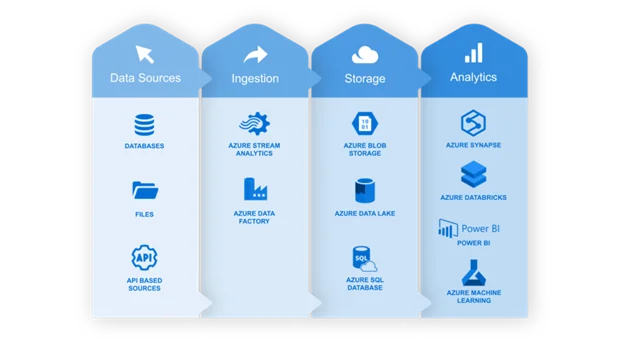
Azure OpenAI Service underpins Copilot across Azure, Microsoft 365, Power Platform, and Dynamics 365. Because these services rely on the same models and security boundaries, Copilot understands context across platforms. Improvements to the underlying models apply consistently, providing teams with predictable behavior regardless of whether they are working in the Azure portal, Visual Studio Code, or Power Platform.
GitHub Copilot for Azure:
GitHub Copilot for Azure brings Azure management directly into Visual Studio Code. Developers can provision resources, troubleshoot deployments, and review configurations without needing to switch to the Azure portal.
A developer can request a PostgreSQL server with encryption enabled from the IDE. Copilot validates permissions, applies policy-compliant settings, and returns connection details. When deployments fail, diagnosis happens in the same workspace, reducing context switching and delays.
Power Automate:
Power Automate allows non-developers to create cloud workflows using plain language. Copilot converts descriptions into complete flows, configures connectors, and sets parameters.
This enables teams to automate tasks such as document classification, compliance notifications, and system logging without relying on engineering capacity, reducing backlogs and wait times.
Azure Kubernetes Service (AKS):
Kubernetes operations are complex and time-consuming. Copilot supports AKS by assisting with common tasks such as generating manifests, diagnosing upgrade issues, recommending scaling adjustments, and troubleshooting pod failures.
Instead of searching documentation or forums, teams receive guidance based on their actual cluster configuration.
Azure Monitor:
Copilot removes the barrier of KQL by letting teams query logs and metrics using natural language. Operations staff can investigate errors, performance issues, or latency trends without manually writing queries.
Copilot generates the KQL, runs the queries, and presents results with context, making monitoring accessible to a wider audience.
Azure Migrate:
During migration projects, Copilot works with Azure Migrate to assess environments, identify workloads, and recommend migration paths. It helps create migration plans, automate steps, and suggest modernization actions during the move.
Because Copilot has visibility into the source environment, recommendations are specific and actionable.
The Unified Experience Advantage:
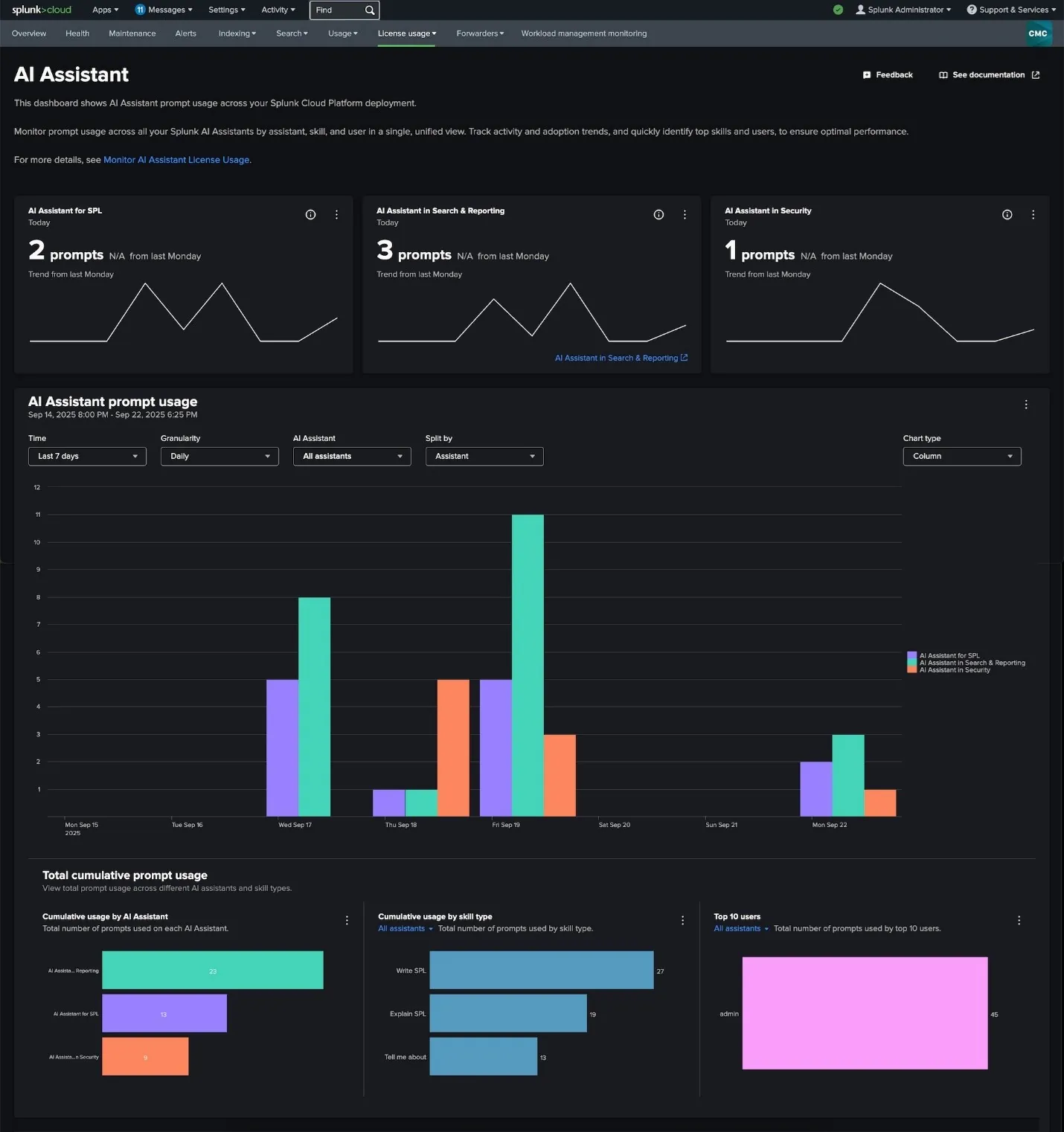
The value of Copilot increases when these integrations work together. Teams can analyze costs in the Azure portal, update infrastructure from the IDE, automate workflows through Power Automate, and monitor results in Azure Monitor with continuous context.
This reduces friction, limits handoffs, and keeps execution aligned with how teams already work.
Integrate Microsoft Copilot into Your Azure Environment
Connect Copilot with your existing Azure services, workflows, and governance model to ensure secure adoption and measurable outcomes.
Request a ConsultationHow Should You Implement Copilot in Azure for Success?
Strong results depend on how Copilot is introduced and governed. Organizations that see consistent value treat Copilot as a capability to operationalize, not a feature to switch on.
1. Start Realistic Expectations Early:
Copilot supports teams; it does not replace cloud expertise. Be clear about current constraints, so users know what to expect.
- Conversation history is limited to 24 hours
- Single commands are capped, typically around 50 resources
- Temporary throttling can occur during peak usage
- Copilot operates only within existing user permissions
Clear expectations reduce frustration and encourage effective usage.
2. Roll out in Phases, Not All At Once:
A staged rollout allows teams to learn, adjust, and govern usage before scaling.
Phase 1: Pilot Group (Weeks 1-4)
Select 5 to 10 users across development, operations, and architecture.
Focus on:
- Daily usage in real workflows
- Identifying high-impact use cases
- Capturing effective prompts
- Documenting gaps and limitations
Phase 2: Expanded Testing (Weeks 5-8)
Extend access to 30 to 50 users across teams.
Use pilot insights to:
- Train users on proven scenarios
- Share prompt examples
- Validate governance rules
- Capture role-specific feedback
Phase 3: Organization-wide rollout (Week 9 onward)
Expand access with confidence, supported by:
- Documented use cases
- Internal champions
- A shared prompt library
- Tested governance controls
3. Train Teams On Effective Prompting:
Copilot output depends heavily on prompt quality. Teams should be trained to provide clear context and ask precise questions.
Create training sessions that teach your team to:
Be Specific:
- Weak: “Help with my database”
- Strong: “My Azure SQL Database ‘proddb-east’ is experiencing connection timeouts from my App Service ‘webapp-prod’. The issue started around 3 PM and affects about 30% of connection attempts. What could be causing this?”
Add Context:
- Weak: “Reduce costs”
- Strong: “Show cost optimization recommendations for my production subscription, prioritizing opportunities that won’t impact performance for customer-facing services”
Ask Follow-Ups:
Don’t stop at the first response. Dig deeper:
- “Why do you recommend that approach?”
- “What are the trade-offs between these options?”
- “Can you show me the step-by-step implementation?”
Build a shared repository of effective prompts for common scenarios. This becomes a valuable knowledge base that accelerates everyone’s proficiency.
4. Apply Responsible Usage Principles:
Copilot follows Microsoft’s Responsible AI framework. Your rollout should reinforce the same discipline.
- Encourage users to flag inaccurate or unexpected responses
- Require human review before applying changes in production
- Train teams to avoid sharing sensitive or regulated data in prompts
5. Measure Impact Continuously:
Tracking usage and outcomes is essential to justify ongoing investment.
Usage metrics
- Active users
- Prompts per user
- Common request types
Value metrics
- Time saved on routine tasks
- Reduction in support tickets
- Cloud cost reductions from recommendations
• Deployment frequency and success rates
Quality metrics
- User satisfaction
- Accuracy of responses
- Adoption of Copilot-generated recommendations
Review results quarterly and refine training, governance, and rollout scope based on actual usage patterns.
How Does Microsoft Copilot in Azure Address Security, Governance, And Compliance?
Tenant-Boundary Data Isolation:
All Copilot interactions stay within your Microsoft 365 tenant.
- Prompts do not leave your tenant
- Customer data is not used to train models for other organizations
- Responses are generated only from data the user is authorized to access
This model differs from consumer AI tools. Data remains isolated, owned, and controlled by your organization.
All data is encrypted in transit using TLS 1.2+ and at rest using AES-256. Microsoft actively defends against prompt injection, malicious code generation, and data exfiltration through continuous testing and monitoring.
Governance Enforced Through Microsoft Purview:
Copilot works within existing Microsoft Purview policies rather than introducing a separate governance layer.
- Sensitivity labels: Copilot respects classification rules. Restricted content cannot be summarized or shared if policies prevent it.
- Data Loss Prevention: Prompts that pose a risk of exposing sensitive information are blocked or redacted before processing. Users are informed when policies intervene.
- Audit logging: Every Copilot interaction is recorded in the Purview audit log, providing visibility into usage, blocked actions, and adoption trends.
This audit trail supports compliance reviews, investigations, and policy refinement.
You may also like: Streamlining Microsoft Azure Identity and Security for Growth
Identity and Access Controls Remain Intact:
Copilot follows Azure RBAC and the principle of least privilege.
If a user has read-only access, Copilot can assist with analysis but cannot make changes. It does not bypass permissions or introduce new access paths.
Conditional Access policies can be applied to Copilot usage, including:
- Multi-factor authentication requirements
- Device compliance enforcement
- Network-based access restrictions
- Session controls for higher-risk scenarios
These controls mirror those used for other critical enterprise systems.
Enterprise Compliance Certifications:
Copilot in Azure inherits Microsoft Cloud compliance coverage, including standards commonly required in regulated industries:
- ISO/IEC 27001, 27017, 27018
- SOC 1, 2, and 3
- HIPAA and HITECH
- FedRAMP High
- GDPR
- PCI DSS
These certifications are backed by regular third-party audits and operational validation.
Customer Lockbox: Ultimate Control
Customer Lockbox adds an approval step if Microsoft support ever needs tenant access.
- Access requires explicit customer approval
- All requests are logged for audit purposes
- No access is granted without authorization
This ensures full transparency and control over support interactions.
Operationalize Copilot Across Your Azure Stack
Move from isolated usage to a structured Copilot integration across Azure, DevOps, and monitoring workflows.
Schedule Your ConsultationConclusion
Microsoft Copilot in Azure marks a shift toward AI-assisted cloud management, with Microsoft’s roadmap focused on deeper integration, stronger governance, and broader coverage across cloud, security, and endpoints. Upcoming capabilities will provide IT teams with clearer visibility into Copilot usage, better control over data and policies, and enhanced security for custom agents, enabling organizations to scale AI adoption without compromising oversight.
Copilot is also expanding from the cloud to user endpoints and evolving from a reactive assistant to a more proactive, agent-based model that can monitor environments and automate routine actions. Organizations that start using Copilot now, plan for governance, and invest in team readiness will be better positioned as these capabilities mature and become more central to cloud operations.
FAQs
Copilot works directly within Azure services, including the Azure portal, GitHub Copilot for Azure, Power Automate, AKS, Azure Monitor, and Azure Migrate, leveraging shared context and existing permissions.
No. Copilot operates within existing tools and workflows, enhancing team productivity without requiring new platforms or process redesigns.
Yes. Copilot follows tenant-boundary data isolation, enforces RBAC and Conditional Access, and integrates with Microsoft Purview for DLP, audit logging, and data classification.
No. Copilot strictly respects Azure RBAC and can only access data and perform actions that the user is already authorized to do.
Explore Recent Blog Posts