
Table of Contents
Introduction
CRM systems have become pivotal in achieving robust product services and customer relationships.
A CRM isn’t just about managing contacts. It helps:
- Streamline processes
- Enhance communication
- Understand consumer needs to deliver impeccable services.
A CRM system provides insights, analytics, and automation capabilities that can profoundly impact a company’s bottom line.
Enter Dynamics 365
As the business world grew more interconnected and data-driven, Microsoft saw an opportunity to innovate within the CRM domain. Merging their potent ERP (Enterprise Resource Planning) tools with CRM capabilities, Dynamics 365 emerged as another tool in the shed and a multifaceted solution aimed at comprehensive business transformation.
The result?
A CRM system deeply integrated with other business tools, optimizing operations and setting new benchmarks in the CRM landscape.
In this blog, we will explore the key CRM capabilities of Dynamics 365 and why it has become a frontrunner in helping businesses foster better relationships with their clientele.
What Makes Dynamics 365 More Than just a CRM?
Microsoft has long been a leader in business software, and Dynamics 365 reflects that vision. Designed as an integrated system to support multiple business functions, it has evolved into a platform that goes far beyond traditional CRM capabilities.
The Evolution of Dynamics 365:
Dynamics 365 has roots in Microsoft’s early CRM and ERP solutions. Rather than simply replacing them, Microsoft unified these tools into a cloud-first platform in 2016, combining CRM and ERP under one system. This approach enabled:
- Real-time data analytics across all departments
- AI-driven insights to improve decision-making
- Seamless integration with Microsoft products like Office 365 and Azure
- Automation across business processes
This evolution transformed Dynamics 365 into a platform designed for connected, data-driven operations rather than just contact management.
Dynamics 365 Portfolio:
Dynamics 365 offers a comprehensive portfolio that covers sales, service, operations, and more. Its modular design ensures each business function is addressed while keeping data connected across departments.
CRM Modules:
- Sales
- Customer Service
- Field Service
- Project Service Automation
- Marketing
ERP Modules:
- Finance
- Operations
- Retail
- Talent
- Commerce
Key benefits of this portfolio:
- Integrated view of customers and operations
- Data flows seamlessly across modules
- Departments stay aligned with overall business goals
Scalability:
Dynamics 365 is built to grow with any business, from startups to global enterprises.
- Small businesses can start with specific modules, like sales or operations, and expand as needed.
- Large enterprises can adopt the full suite and customize it with Microsoft’s Power Platform to match complex requirements.
- Modular design ensures flexibility, reduces unnecessary complexity, and keeps adoption manageable.
Dynamics 365 is more than a CRM; it’s a connected business platform. By combining comprehensive applications with flexibility and scalability, organizations can break down silos, gain actionable insights, and improve operations across the board.
Get More Value from Dynamics 365 CRM
Our CRM consulting services cover end-to-end Dynamics 365 delivery, implementation, integrations, customization, optimization, and on-demand assistance, so your CRM supports growth without added complexity.
Request a DemoHow Does the Unified Interface Improve Dynamics 365?
User experience often determines adoption and success. Microsoft addressed this with the Unified Interface for Dynamics 365, transforming how users interact with CRM and ERP applications.
The Unified Interface is a modern, redesigned experience for Dynamics 365, built for consistency across all applications. Whether managing sales, customer service, or financial data, it delivers:
- Responsive design: Same experience across desktop, tablet, and mobile
- User-focused layout: Intuitive and efficient navigation
- Inclusive platform: Designed for accessibility and diverse user needs
It’s more than a visual update; it ensures that users can work effectively, efficiently, and consistently, regardless of device or role.
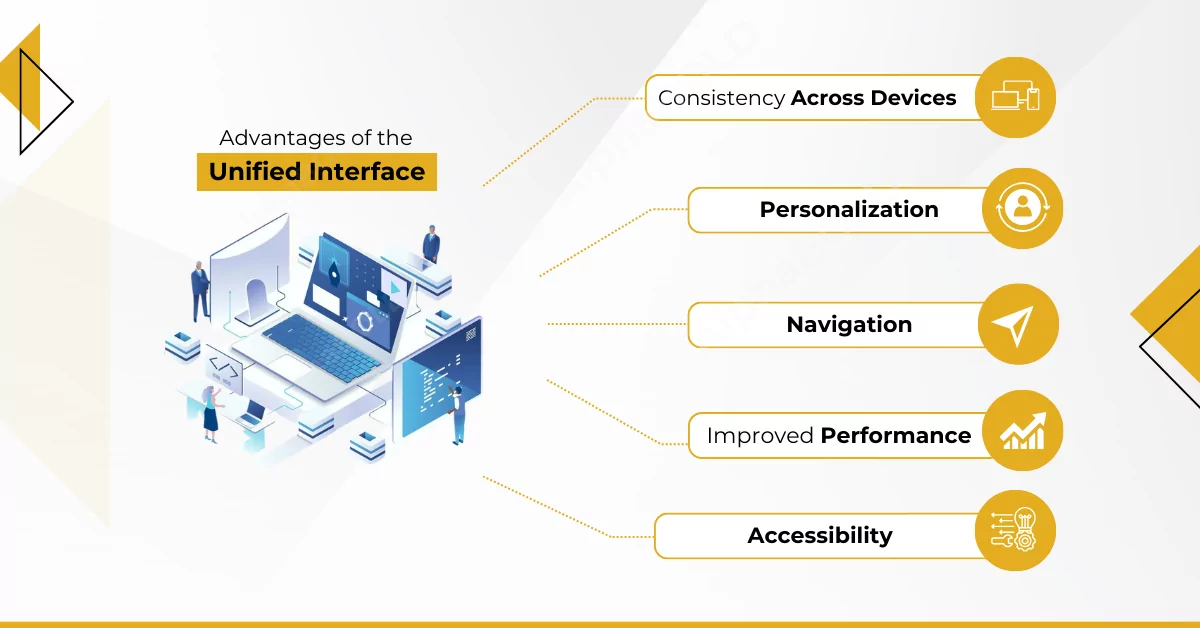
Advantages of the Unified Interface:
- Consistency Across Devices: Access the same dashboards and tools on desktop, tablet, or phone without losing functionality or layout.
- Personalization: Tailor dashboards and views for specific roles, sales reps, customer service agents, or managers to get exactly what they need.
- Navigation: Streamlined menus and task flows reduce learning curves, enabling faster daily workflows.
- Improved Performance: Faster load times and seamless transitions maintain high productivity.
- Accessibility: Features like high-contrast modes and screen reader support ensure the platform works for all users.
The Unified Interface goes beyond aesthetics; it enhances usability, efficiency, and accessibility, making Dynamics 365 a more productive and inclusive platform for modern businesses.
How Does Dynamics 365 Integrate with Microsoft’s Ecosystem?
Dynamics 365 is powerful on its own, but it becomes transformative when integrated with Microsoft’s broader ecosystem. This integration creates a cohesive suite that enhances collaboration, productivity, and insights across the business.
Office 365 Integration:
Office 365 integration streamlines daily workflows and connects familiar productivity tools directly to Dynamics 365:
- Outlook: Track emails, schedule meetings, and view CRM insights without leaving your inbox.
- Excel: Analyze and manipulate CRM data in familiar spreadsheets, with instant updates to records.
- SharePoint: Store, organize, and collaborate on documents linked to CRM records for easy access and consistent data.
Power Platform Integration:
The Power Platform adds customization and automation capabilities:
- Power BI: Access interactive dashboards and derive actionable insights directly from CRM data.
- Power Automate: Automate processes like follow-ups or data flows between apps to reduce manual tasks.
- Power Apps: Build custom applications leveraging Dynamics 365 data without complex coding.
Integration With Azure Services:
Azure integration brings advanced cloud capabilities:
- Apply AI and machine learning to predict trends and optimize operations.
- Automate workflows and enhance user experiences with intelligent services.
Teams Integration:
Teams integration keeps collaboration seamless:
- Share insights and discuss CRM records directly within Teams.
- Reduce time switching between apps, keeping focus on results.
Integrating Dynamics 365 with Microsoft’s ecosystem transforms it from a standalone platform into a synchronized business solution. These connections drive productivity, improve insights, and streamline operations across the organization.
Comprehensive Guide to Selecting CRM
Understanding the intricacies of CRM selection can be a game-changer for your organization's success. Our 'Comprehensive Guide to Selecting CRM' is tailored to help you, the decision-maker, navigate the myriad of choices with ease, ensuring you make the right investment for your team and business objectives.
Read NowWhy Is Flexibility Important in a CRM?
A one-size-fits-all CRM rarely meets every organization’s unique needs. Dynamics 365 stands out because it adapts to evolving business requirements, making it a flexible choice for companies of all sizes and industries.
Benefits of a Flexible CRM:
- Adapts to Business Growth: Evolves in response to changing strategies, goals, and operational requirements.
- Fulfills Unique Requirements: Supports niche workflows, industry-specific demands, and specialized processes.
- Enhances User Adoption: Tailored experiences increase engagement, usage, and ROI.
How Can Dynamics 365 Be Customized?
Dynamics 365 offers extensive built-in customization options:
- Personalize Dashboards: Adjust views, data points, and visuals to suit specific roles or departments.
- Tailor Workflows: Modify or create workflows that reflect real business processes.
- Modify Forms and Fields: Add, remove, or reposition fields to capture exactly the data needed.
- Develop Custom Modules: Build entirely new modules for unique processes or data points.
What About Third-Party Integrations?
Dynamics 365 extends beyond its native capabilities through Microsoft AppSource and custom integrations:
- AppSource Marketplace: Access industry-specific apps, analytics tools, and other extensions.
- Custom Integrations: Use the platform’s open architecture to connect with other software, ensuring a seamless tech stack.
By offering flexibility and extensibility, Dynamics 365 enables organizations to work with a platform that evolves alongside them, delivering a tailored CRM solution that grows in tandem with the business.
Is Dynamics 365 the Right CRM for Your Business?
Choosing a CRM goes beyond features or integrations; it’s about finding a solution that aligns with your goals, challenges, and long-term vision. Dynamics 365 is a strong contender, but evaluating your needs ensures you make the right choice.
Assessing Your Business Needs:
Before selecting a CRM, consider:
- Identify Core Challenges: Are issues related to disjointed data, lack of insights, or inefficient customer management?
- Determine Your Goals: Do you want to improve customer engagement, streamline operations, or both?
- Gauge Scalability Needs: Will the CRM support your business growth over the next 5–10 years?
Cost Benefit Analysis:
Investing in a CRM requires weighing costs against potential returns:
- Upfront and Ongoing Costs: Include training, maintenance, and upgrades, and compare Dynamics 365 with alternatives.
- ROI Potential: Measure benefits like increased sales, higher customer retention, and operational efficiency.
- Intangible Benefits: Consider team morale, customer satisfaction, and improved brand reputation.
Dynamics 365 vs. Other CRM Solutions
Key advantages of Dynamics 365 include:
- Integration Capabilities: Deep connections with Office 365, Azure, and the Power Platform enhance workflow efficiency.
- Customization and Scalability: Extensive options let businesses tailor the platform and scale as they grow.
- Price Points: Multiple plans cater to different business sizes and needs—compare features and ROI against competitors.
While Dynamics 365 offers a robust, integrated, and flexible platform, the best choice depends on your organization’s specific objectives and growth plans. A careful assessment ensures your CRM addresses challenges and supports long-term business success.
Implement, Improve, and Scale Dynamics 365 CRM
We implement Dynamics 365 CRM, improve existing systems, and scale it as your business grows. Our services include integration, customization, optimization, and on-demand support.
Request a DemoConclusion
Dynamics 365 is a strong CRM choice for organizations that rely on Microsoft tools and need flexibility at scale. Its tight integration with the Microsoft ecosystem, broad customization options, and ability to support growing, complex operations make it a practical platform rather than just another CRM.
If your business needs a system that fits your processes today and can support where you’re headed next, Dynamics 365 is worth serious consideration. It’s built to adapt as your requirements change and to support long-term growth without forcing you into rigid workflows.