Dynamics 365 Field Service vs. Acumatica Service Management: Which one suits your service business?

Table of Contents
Introduction
Choosing between Dynamics 365 Field Service and Acumatica Service Management shapes how your organization schedules work, equips technicians, tracks service revenue, and scales over the next several years. Get the fit wrong, and the result is usually process workarounds, rising costs, and an eventual reimplementation, not a quick fix.
Quick answer: Dynamics 365 Field Service is built for larger, more complex service operations that need advanced scheduling automation and deep Microsoft ecosystem integration. Acumatica Service Management suits mid-size, growing organizations that want simpler customization and usage-based licensing built into a single ERP.
The rest of this comparison breaks down scheduling, mobility, financial integration, customization, and cost so you can match the platform to your operational model, not just its feature list.
What's the Difference Between Dynamics 365 Field Service and Acumatica Service Management?
Dynamics 365 Field Service is designed for complex, high-volume service operations that run inside the Microsoft ecosystem, while Acumatica Service Management is built for simpler, ERP-centered service workflows.
The core distinction isn’t feature count; both platforms cover scheduling, mobility, and financial integration. Its design intent: Dynamics assumes scale and complexity from the start; Acumatica assumes a growing business that wants one connected system without a steep learning curve.
Scheduling & Dispatching:
Dynamics 365 Field Service:
Dynamics 365 Field Service includes resource optimization, skill-based assignment, territory management, and AI-assisted scheduling. These capabilities support organizations managing high work order volumes and complex service operations.
With the 2026 Release Wave 1, AI-assisted scheduling adds smarter recommendations and better support for real-time schedule adjustments.
Key features:
- Resource optimization
- Territory management
- AI-assisted scheduling
- Skill-based assignment for matching the right technician to the right job
You may also like: Dynamics 365 Field Service Features & Capabilities 2026
Acumatica Service Management:
Acumatica Service Management includes appointment calendars, drag-and-drop scheduling, and technician availability tracking. While it offers less automation and AI than Dynamics 365, it still meets the needs of many service organizations.
Key features:
- Appointment calendars
- drag-and-drop scheduling
- Technician availability tracking
- Less advanced automation
- Easier to operate without specialized training
Final Assessment: Dynamics 365 is better suited for complex scheduling requirements, while Acumatica provides a simpler scheduling experience.
Mobility & Technician Experience:
Dynamics 365 Field Service provides a more polished mobile experience with deeper Microsoft integration, while Acumatica delivers a functional app focused on core technician tasks.
Dynamics 365 Field Service:
Dynamics 365 Field Service includes a mobile app that allows technicians to view work orders, capture signatures, update job status, and work offline. It also integrates with Microsoft Teams and Outlook for communication and scheduling.
Key features:
- Technicians can view work orders, capture signatures, and update job status from the field
- Offline mode supports work in low-connectivity areas
- Native integration with Teams and Outlook keeps scheduling and communication in one place
You may also like: Leveraging Mobile Capabilities in Dynamics 365 Field Service
Acumatica Service Management:
Acumatica provides mobile access for technicians to view assignments, update work progress, and track time. Its mobile app is less feature-rich than Dynamics 365’s but supports the core tasks technicians perform in the field.
Key features:
- Technicians can view assignments, log progress, and clock time from any device
- Interface is less refined than Microsoft’s apps but is efficient for core tasks
Final Assessment: Dynamics 365 offers a more comprehensive mobile experience, while Acumatica focuses on core field operations.
Financial Integration:
Financial integration is critical for linking field service activity with billing, inventory, and revenue tracking. Both platforms support this well, but through different approaches.
Dynamics 365 Field Service:
Dynamics 365 Field Service integrates with Dynamics 365 Finance, Dynamics 365 Supply Chain Management, and Dynamics 365 Business Central. Inventory usage, procurement, billing, and financial data flow across these applications, reducing data silos and improving operational visibility.
Key features:
- Native integration with Dynamics 365 Finance, Supply Chain Management, and Business Central.
- Inventory, procurement, billing, and financial data sync across the platform.
- Organizations using the Dynamics 365 ecosystem can reduce data silos and avoid custom integrations.
Acumatica Service Management:
Acumatica Service Management is built into Acumatica ERP, connecting service operations, inventory, and financials. It supports cost tracking, billing, and service profitability within a single system.
Key features:
- Built into Acumatica ERP, connecting service, inventory, and financial data.
- No separate integration is required between service operations and the general ledger.
Final Assessment: Dynamics 365 is better suited for organizations using the Microsoft ecosystems, while Acumatica provides an integrated ERP-based approach.
Customization & Flexibility:
Acumatica is generally easier to customize with less technical effort, whereas Dynamics 365 offers deeper configuration but typically requires specialized skills.
Dynamics 365 Field Service:
Dynamics 365 Field Service is highly configurable through Microsoft Power Apps and Power Automate. Organizations can customize workflows and automate processes, but advanced configurations often require technical expertise or implementation support.
Key features:
- Configurable with Microsoft Power Apps and Power Automate.
- Supports custom workflows and process automation.
- Advanced customizations typically require implementation expertise.
Acumatica Service Management:
Acumatica uses an open architecture and modular design that supports customization with less technical complexity than Dynamics 365.
Key features:
- Open, modular architecture designed for accessible customization
- Many organizations modify workflows and screens without deep technical resources
Final Assessment: Dynamics 365 is better suited for extensive customization, while Acumatica is easier to configure for standard business requirements.
Cost and Licensing:
Dynamics 365 Field Service uses per-user subscription licensing, while Acumatica uses a consumption-based model tied to system usage rather than headcount.
Dynamics 365 Field Service:
Dynamics 365 Field Service uses a per-user subscription model. As organizations add users, roles, or applications, licensing costs increase. Total cost depends on the number of users and the Microsoft applications included in the deployment.
Key features:
- Costs scale with the number of licensed users and modules
- Growing teams, especially those adding roles across departments, should expect licensing costs to rise in proportion to headcount.
You may also like: Dynamics 365 Implementation Cost in 2026: Pricing, ROI & Hidden Costs
Acumatica Service Management:
Acumatica uses a consumption-based licensing model based on system usage rather than user count. Adding users does not directly increase licensing costs, making it suitable for organizations with large or fluctuating technician teams.
Key features:
- Licensing is based on system usage rather than user count.
- Users can be added without a proportional increase in licensing costs.
Final Assessment: For predictable, department-heavy enterprise deployments, Dynamics’ model is straightforward to plan around. For service businesses with fluctuating or growing headcounts, Acumatica’s usage-based pricing is often the more economical path.
Confirm current tiers and terms with your licensing partner, since both vendors update pricing structures periodically.
Integrate Dynamics 365 Field Service With Your Existing Systems
Connect Field Service with finance, inventory, CRM, and third-party tools to remove data gaps and manual work. Our team handles integrations across the Microsoft ecosystem and beyond.
Request a DemoWhich Platform is Right For Your Business?
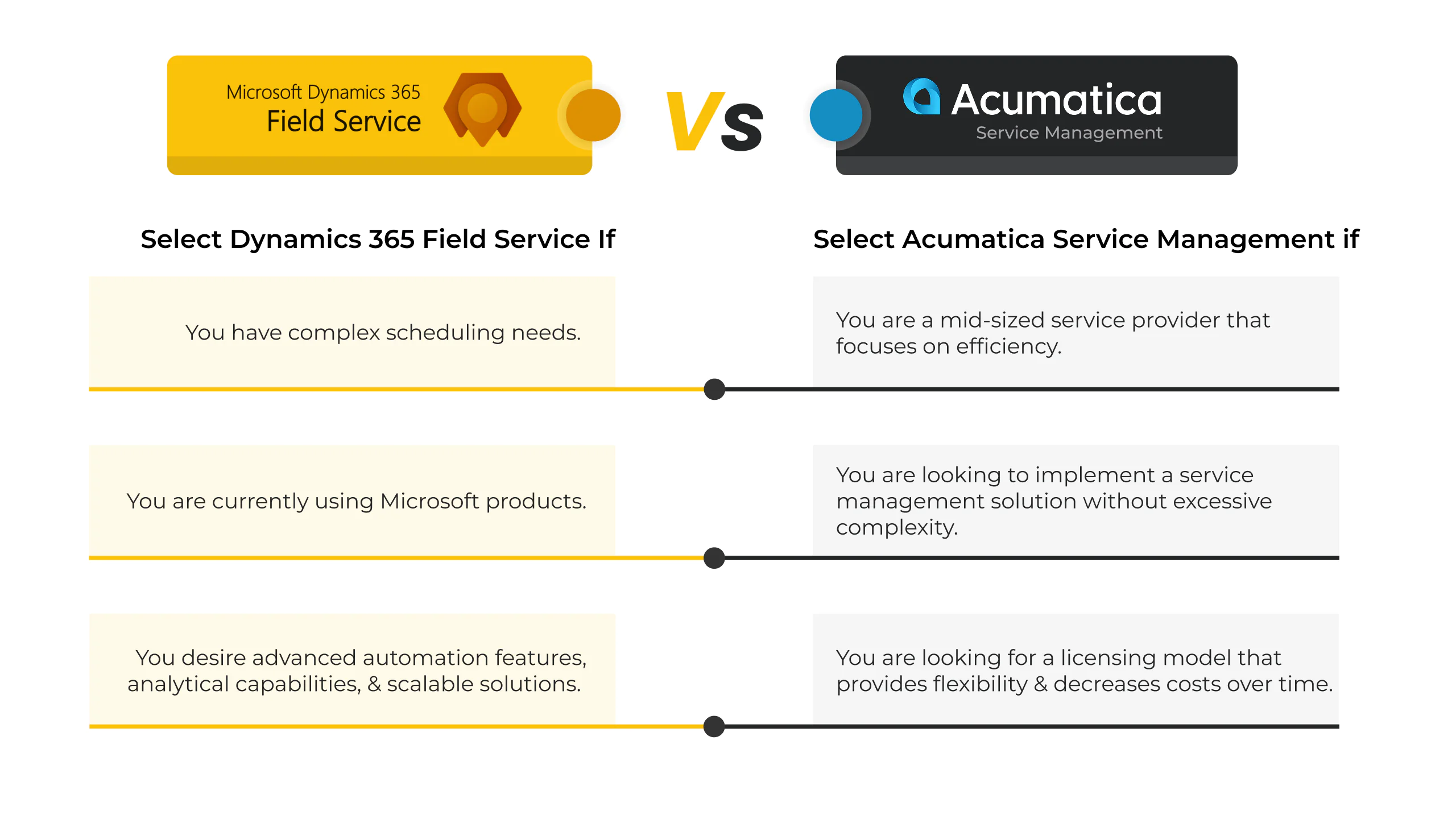
The right choice depends less on feature lists and more on your team’s scale, technical resources, and existing systems. Use these scenarios as a starting point:
- Choose Dynamics 365 Field Service if: you run a high-volume, multi-region service operation; you’re already invested in Microsoft 365, Dynamics Finance, or Supply Chain Management; and you have (or can access) technical resources to support Power Platform customization.
- Choose Acumatica Service Management if: you’re a mid-size or growing service business; you want service, inventory, and financials in one system without a separate integration project; and your technician headcount fluctuates seasonally or is expanding quickly.
Reconsider both if your current platform already meets 80% of your needs and the gap is a single-process issue, a configuration change, or targeted integration may solve it faster than a full platform switch.
You may also like: Benefits of Adopting Dynamics 365 Field Service for Your Business
Keep Your Field Service Environment Stable, Secure, And Up To Date
Get Ongoing Dynamics 365 Field Service Support. We provide functional and technical support, issue resolution, and continuous improvements as your needs change.
Request a DemoConclusion
Dynamics 365 Field Service and Acumatica Service Management both deliver strong field service capability, but for different operating models.
Dynamics 365 Field Service is well-suited to larger, enterprise-scale organizations that need advanced automation and deep Microsoft ecosystem integration. Acumatica Service Management fits mid-size, growing companies that want simplicity, unified ERP data, and licensing that scales with usage rather than headcount.
Start by mapping your current scheduling complexity, technician headcount trends, and existing technology stack. The right platform follows from those answers, not the other way around.
FAQs
Dynamics 365 Field Service is designed for complex, high-volume service operations within the Microsoft ecosystem, while Acumatica Service Management focuses on simpler, ERP-centered service workflows.
Dynamics 365 Field Service handles advanced scheduling scenarios such as skill-based assignments, territory rules, and large work order volumes more effectively.
Dynamics 365 offers a more polished mobile app with deeper Microsoft tool integration, whereas Acumatica provides a functional mobile experience focused on core technician tasks.
Yes. Dynamics 365 integrates tightly with Microsoft ERP products, while Acumatica connects service, inventory, and financials directly within its ERP platform.
Acumatica is generally easier to modify with less technical effort, while Dynamics 365 supports deeper configuration but often requires specialized skills.
Dynamics 365 uses per-user licensing, which can scale costs as teams grow, while Acumatica’s usage-based model is often better for larger or seasonal technician teams.
Explore Recent Blog Posts