Microsoft Ignite 2026: How Copilot, Microsoft IQ and Agent 365 Change Enterprise AI

Table of Contents
Introduction
Microsoft Ignite 2026 expands Copilot, Microsoft IQ, Agent 365, and Microsoft Foundry with capabilities designed to connect AI assistance, enterprise knowledge, and agent governance. Key announcements include generally available Copilot experiences, new CRM and ERP integrations, persistent AI agents, cost management tools, and advanced models. For enterprises, the priority is understanding which capabilities are available and how they can support secure, measurable business workflows.
Microsoft Ignite 2026, taking place November 17–20, is highlighting Microsoft’s vision for moving beyond standalone AI assistants toward connected enterprise workflows.
Here are 11 important developments, their availability, and what they mean for organizations planning their AI investments.
1. How Does Copilot Home Bring Chat and Cowork Together?
Copilot Home is generally available, bringing Chat and Cowork together in one starting point for everyday work.
Employees can move between two complementary experiences:
- Chat: Ask questions, retrieve information, summarize content, and generate responses.
- Cowork: Delegate multistep tasks that involve planning, coordinating activities, and producing deliverables.
This reduces the need to manage separate AI experiences for answering questions and progressing work.
For enterprises investing in Microsoft Copilot consulting services, the priority is identifying which employee workflows benefit from assistance versus task delegation.
2. What Can Employees Do with Office in Copilot?
Office in Copilot is generally available, bringing Word, Excel, and PowerPoint capabilities directly into the Copilot experience.
Employees can create and edit documents, analyze spreadsheet data, and develop presentations through natural-language requests.
For example, a finance manager could analyze budget variances in Excel and prepare a presentation summarizing the findings without repeatedly switching applications.
However, Copilot-generated calculations and business reports still require validation, particularly when they support financial or operational decisions.
3. How Does Copilot Autopilot Handle Ongoing Work?
Copilot Autopilot is rolling out to eligible Frontier customers. It introduces a persistent personal AI agent designed to manage recurring responsibilities and longer-running activities.
Unlike a one-time Copilot request, Autopilot can maintain task context, track progress, and coordinate follow-ups across supported tools.
Each Autopilot operates with its own Microsoft Entra Agent ID, supporting organizational identity and administrative oversight.
Potential use cases include recurring project updates, follow-up coordination, and monitoring outstanding actions.
Before adoption, organizations should define task boundaries, approval requirements, access permissions, and spending policies.
Further Reading: Build AI Agents with Microsoft Copilot Studio Without Coding
4. How Do Copilot Workspaces Support Team Collaboration?
Copilot Workspaces is available through Frontier, providing shared environments where employees can collaborate on documents and ongoing projects with Copilot’s assistance.
Work IQ can recommend relevant workspaces, while Copilot helps teams identify changes, unresolved questions, and pending actions across shared work.
Microsoft also plans to let employees bring their personal Autopilot agents into Workspaces, extending collaboration between employees and AI agents.
For enterprises, the immediate opportunity is improved project continuity and shared context, with access permissions remaining essential when workspaces contain sensitive business information.
5. How Does Copilot Code Turn Natural Language into Applications?
Copilot Code is available through Frontier, with general availability planned for December 2026.
It enables employees to create applications, dashboards, and trackers using natural-language instructions.
For example, an operations manager could describe a departmental reporting requirement and generate an initial application without manually developing every component.
However, generating an application does not automatically make it production-ready. Businesses must still evaluate authentication, data access, security, performance, and long-term maintenance.
These considerations are particularly important when AI-generated applications connect to enterprise databases or operational systems.
6. What Does Dynamics 365 in Copilot Mean for Sales, Service, and Finance?
Dynamics 365 in Copilot connects CRM and ERP capabilities with AI-assisted workflows, allowing employees to access business information and supported actions within Copilot.
Microsoft announced updated plugins with more than 57 Sales and Customer Service skills and over 39 Finance and Operations skills. The updated Sales, Customer Service, and ERP apps plugins are generally available.
These capabilities support activities such as:
- Sales: Research opportunities, review customer context, and prepare engagement activities.
- Customer Service: Access case information, summarize interactions, and assist with resolutions.
- Finance and Operations: Retrieve relevant ERP information and support operational tasks.
For example, a sales manager could review Dynamics 365 opportunities alongside meeting context before preparing a customer discussion.
The business value depends on accurate records, reliable integrations, and appropriate permissions.
AlphaBOLD helps organizations align Dynamics 365 solutions with operational processes, supporting practical AI adoption across existing business applications.
Make Copilot Work with Your Business Systems
Connect Copilot with the CRM, ERP, and operational workflows your business already depends on. AlphaBOLD can help assess integration requirements, security, and implementation readiness.
Request a Consultation7. How Does Salesforce in Copilot Extend AI Across CRM Systems?
Salesforce in Copilot is available in public preview, introducing more than 38 prebuilt sales skills.
The integration makes Salesforce account, opportunity, and pipeline information accessible through supported Copilot experiences, helping sales teams work with customer context alongside Microsoft 365 activities.
This development is particularly relevant for organizations operating multiple business platforms.
Instead of replacing existing CRM investments, enterprises can explore connecting AI to established systems while maintaining appropriate data access and process controls.
Reliable AI integration consulting becomes important when workflows span multiple applications.
Further Reading: MCP Servers Explained: What They Are and How They Work
8. How Does Microsoft IQ Connect Enterprise Knowledge and Data?
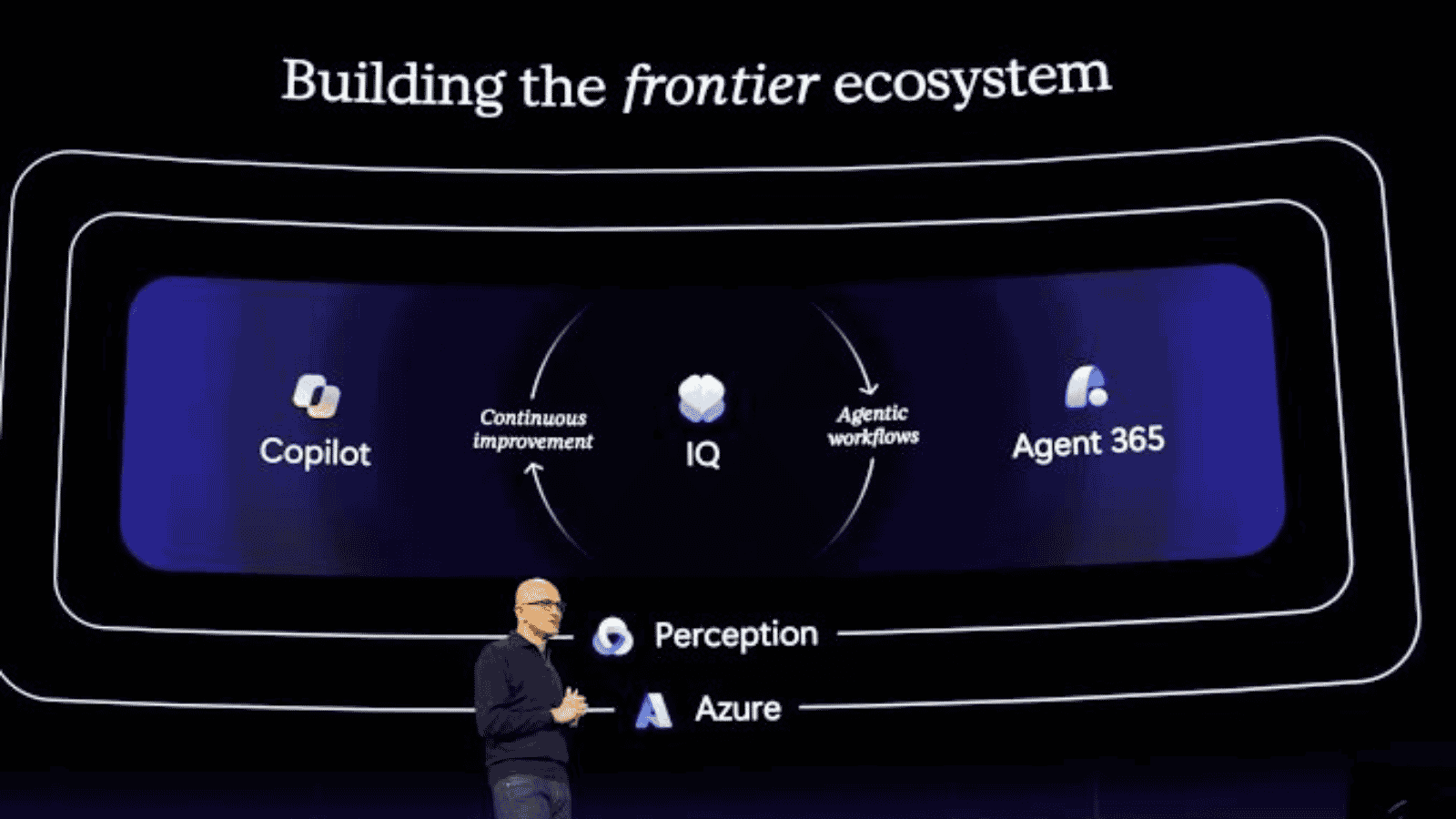
Microsoft IQ is a generally available enterprise context management platform designed to help AI agents use organizational knowledge, business data, and expertise more effectively.
It brings together four complementary capabilities:
| Component | Enterprise context |
|---|---|
| Work IQ | Workplace activities, collaboration, and organizational context |
| Fabric IQ | Governed business data, metrics, and relationships |
| Foundry IQ | Enterprise knowledge and retrieval |
| Web IQ | Relevant external information |
Microsoft also introduced business plugins that package organizational knowledge, instructions, and tools into reusable capabilities. These new plugins are available through Frontier, while other IQ capabilities have different release statuses.
Consider an enterprise with customer records in Dynamics 365, financial metrics in Power BI, and operational procedures in SharePoint.
Microsoft IQ can help agents use context across supported sources rather than relying on isolated information.
However, inconsistent data definitions, outdated records, or excessive permissions can still affect output quality.
Organizations should therefore evaluate their data architecture, governance, and AI consulting requirements before expanding enterprise agent deployments.
9. How Does Agent 365 Help Control AI Costs and Measure Business Value?
Microsoft Agent 365 is expanding financial oversight through Cost Management and Business Analytics, helping organizations understand AI spending and evaluate operational outcomes.
Agent 365 Cost Management introduces preview capabilities for monitoring usage-based costs, setting budgets, creating alerts, and supporting custom reporting.
Additional forecasting and optimization capabilities are rolling out through Frontier.
Agent 365 Business Analytics, also available through Frontier, provides insights into:
- Spending across agents, services, models, and users.
- Task-success rates and user satisfaction.
- Assisted hours and operational activity.
- Cost forecasts and optimization opportunities.
These measures improve visibility, but usage does not automatically demonstrate financial return.
For example, an invoice-processing agent should be evaluated against processing costs, accuracy, exception rates, and verified time savings.
This aligns with McKinsey’s 2026 research on scaling agentic AI, which emphasizes clear business problems, workflow design, data readiness, and measurable outcomes.
10. What Do GPT-6.2 and Microsoft-Decision-1.1 Bring to Microsoft Foundry?
Microsoft Ignite 2026 also expanded model choice within Microsoft Foundry.
GPT-6.2 Astra and GPT-6.2 Sol are generally available in Microsoft Foundry, providing advanced model options for professional and enterprise AI workloads.
Microsoft-Decision-1.1 is also generally available, offering a specialized model for fast, cost-efficient decisions such as routing, classification, prioritization, and verification.
Unlike general-purpose models, Microsoft-Decision-1.1 is designed to select among permitted actions within defined constraints.
This highlights an important consideration for enterprise AI architecture: different tasks may require different models.
Organizations should evaluate accuracy, response time, operating costs, and workflow requirements rather than assuming one model is suitable for every application.
11. What Should AlphaBOLD Clients Do Next?
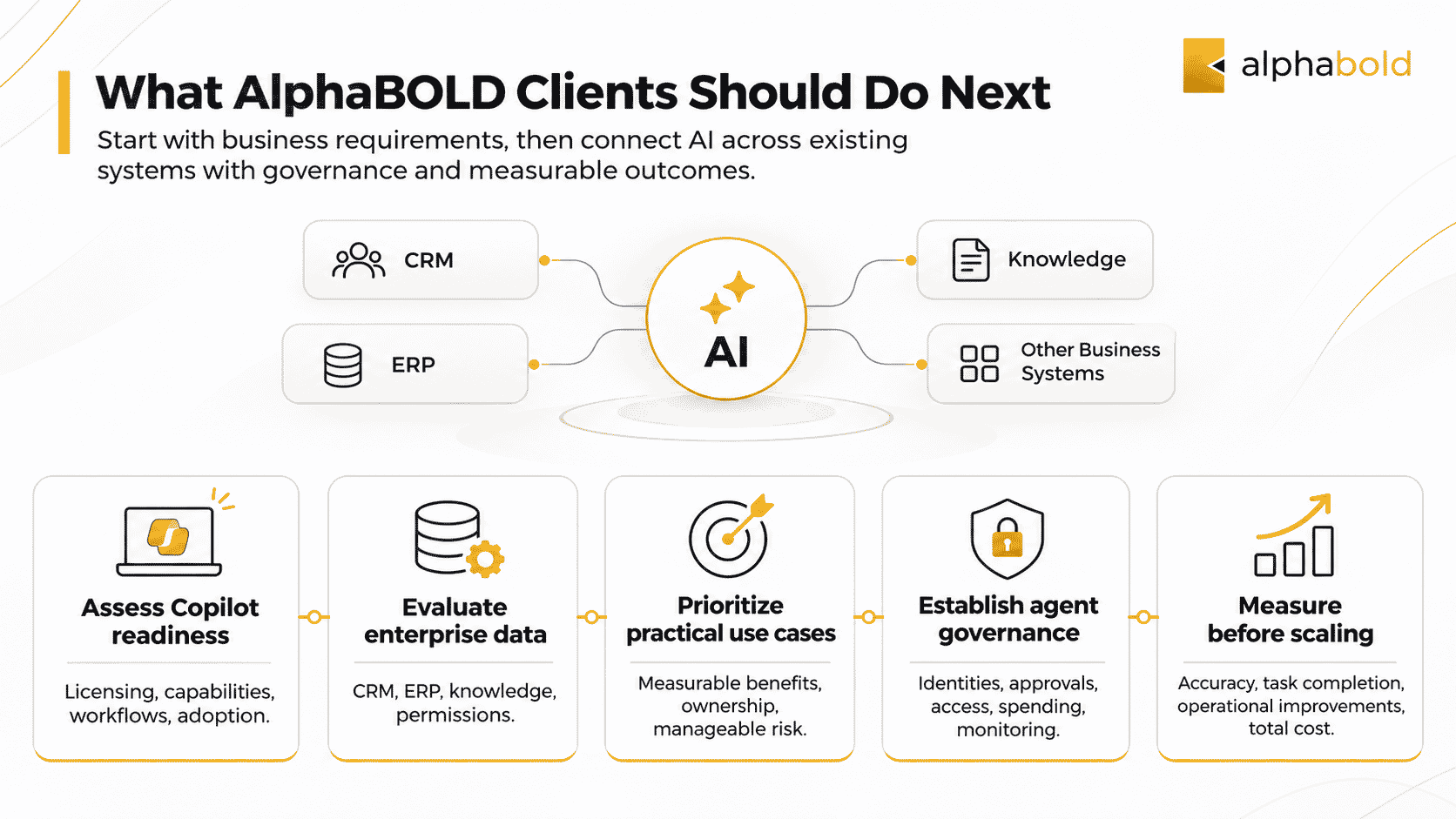
Microsoft’s latest announcements create opportunities to extend AI across existing business systems, but implementation should begin with clear business requirements.
AlphaBOLD recommends five priorities:
- Assess Copilot readiness: Review licensing, available capabilities, employee workflows, and adoption requirements.
- Evaluate enterprise data: Identify CRM, ERP, knowledge management, and permission gaps that could affect AI outputs.
- Prioritize practical use cases: Select workflows with measurable benefits, clear ownership, and manageable implementation risks.
- Establish agent governance: Define identities, approvals, access controls, spending limits, and monitoring responsibilities.
- Measure before scaling: Validate accuracy, task completion, operational improvements, and total costs during controlled deployments.
Through its Microsoft business applications and AI consulting services, AlphaBOLD helps organizations assess opportunities, connect enterprise systems, and develop AI solutions aligned with business objectives.
Build an Enterprise AI Roadmap Around Business Value
From Copilot readiness and Dynamics 365 integration to agent development and governance, AlphaBOLD can help you identify practical opportunities for enterprise AI adoption.
Request a ConsultationConclusion
Microsoft Ignite 2026 demonstrates how Copilot, Microsoft IQ, Agent 365, and Foundry are becoming more closely connected across enterprise workflows.
The announcements offer new possibilities for AI-assisted work, business-system integration, and agent oversight. However, sustainable value depends on reliable data, appropriate governance, and measurable operational outcomes.
Organizations that address these foundations will be better positioned to evaluate and adopt Microsoft’s expanding AI capabilities.
FAQs
Licensing varies by capability. Some features are included with eligible Copilot subscriptions, while others may involve consumption charges, additional licensing requirements, or Frontier access. Organizations should confirm pricing and tenant eligibility before deployment.
Agent access depends on identity, connector configuration, and permissions. Properly configured agents should enforce applicable access controls, but organizations must validate these controls, especially when agents use service identities or external systems.
Frontier provides early access to emerging capabilities, but availability does not automatically mean production readiness. Businesses should evaluate support conditions, security, functionality, and operational risks before using preview features in critical workflows.