Table of Contents
Introduction
Most executives do not need another dashboard. They need to know what deserves action.
For a CFO, CIO, or COO, SharePoint analytics should answer more fundamental questions: Are we getting enough value from Microsoft 365? Are employees finding the knowledge the business pays to create? Is information sprawl adding avoidable cost or risk? And before we invest further in AI, is the underlying information environment ready?
The value of SharePoint analytics is not knowing that a page receives 10,000 views. It is understanding whether those signals should change an investment, productivity, governance, or risk decision.
The better question is not “What can SharePoint measure?” It is “What should leadership do differently because of what SharePoint is telling us?”
When Does SharePoint Reporting Become Decision Intelligence?
SharePoint reporting becomes strategically useful when leaders connect a metric to a business question and know what action could follow.
When I look at analytics, I would not start by asking, “Which reports can SharePoint produce?” I would start with: Which decision are we trying to make?
That creates a useful distinction:
- Reporting: What happened?
- Interpretation: Why does it matter?
- Decision intelligence: What are we prepared to do differently?
Gartner’s 2026 research on CFO decision support argues that dashboards need decision, driver, and data context if they are going to move beyond reporting and become decision-support tools.
The same principle applies to SharePoint analytics. A rise in usage means little on its own. Leadership still needs to know what drove it, where it happened, and what business effect followed.
A metric that cannot influence a decision may still be interesting. It probably does not belong on an executive dashboard.
What Should Executives Actually Measure in SharePoint?
The most useful SharePoint analytics start with the decisions leadership needs to make, not with a list of available metrics.
Are We Getting Value From What We Already Pay For?
SharePoint usage analytics can show whether adoption is broad or concentrated, which sites matter most, and which resources receive little engagement.
For a CFO, low utilization should not immediately become a licensing conversation. It may point to weak adoption, poor information architecture, irrelevant content, or sites that should have been retired.
Is Information Helping Employees Work Faster or Creating Friction?
Search behavior, abandoned content, duplication, and fragmented sites can reveal whether employees spend unnecessary effort finding or validating information.
A structured SharePoint document management environment can improve how information is organized, governed, and found. The executive question is broader: Is the information environment helping people complete work, or quietly making work more expensive?
Where Are We Carrying Avoidable Risk?
Permissions, external sharing, inactive sites, and unclear ownership can expose unnecessary governance or compliance risk.
The leadership question is not how SharePoint permissions work. It is whether the business can identify where unnecessary access creates financial, operational, or regulatory exposure.
You may also like: SharePoint Governance: Strategies & Policies for the C-Suite
Are We Ready to Invest Further in AI?
Stale content, inconsistent ownership, broad permissions, and weak information architecture can reduce the value of the next technology investment.
Before allocating more budget to AI, executives should understand whether the underlying knowledge environment is an asset or a liability.
What Does SharePoint Analytics Tell a CFO That Usage Numbers Alone Cannot?
Usage is not the same thing as value.
Imagine monthly active SharePoint usage rises by 15%. It sounds positive, but a CFO should ask what changed because of it.
Did employees spend less time looking for information? Did adoption improve where it mattered most? Did duplicated content decline? Did risk decrease? Did the initiative justify its cost?
I would evaluate SharePoint analytics across three dimensions:
- Utilization: Are people using the environment?
- Business effect: Is something meaningful improving because they use it?
- Economic relevance: Does that improvement affect cost, productivity, risk, or the value of another technology investment?
Adoption is evidence of activity. Value requires a business outcome.
For mature environments, a structured assessment can establish the baseline leadership needs before deciding what to optimize, retire, govern, or invest in next. AlphaBOLD’s SharePoint consulting services help identify those priorities across content, permissions, governance, and adoption.
Are You Getting Enough Value From Your SharePoint Investment?
Before adding another tool, dashboard, or AI capability, AlphaBOLD can assess how your SharePoint environment is being used, governed, and structured, then identify where intervention can create the greatest value.
Request a ConsultationWhat Would I Look at First in Your SharePoint Environment?
If I were sitting with a leadership team and asked whether SharePoint was creating enough value, I would start with five questions:
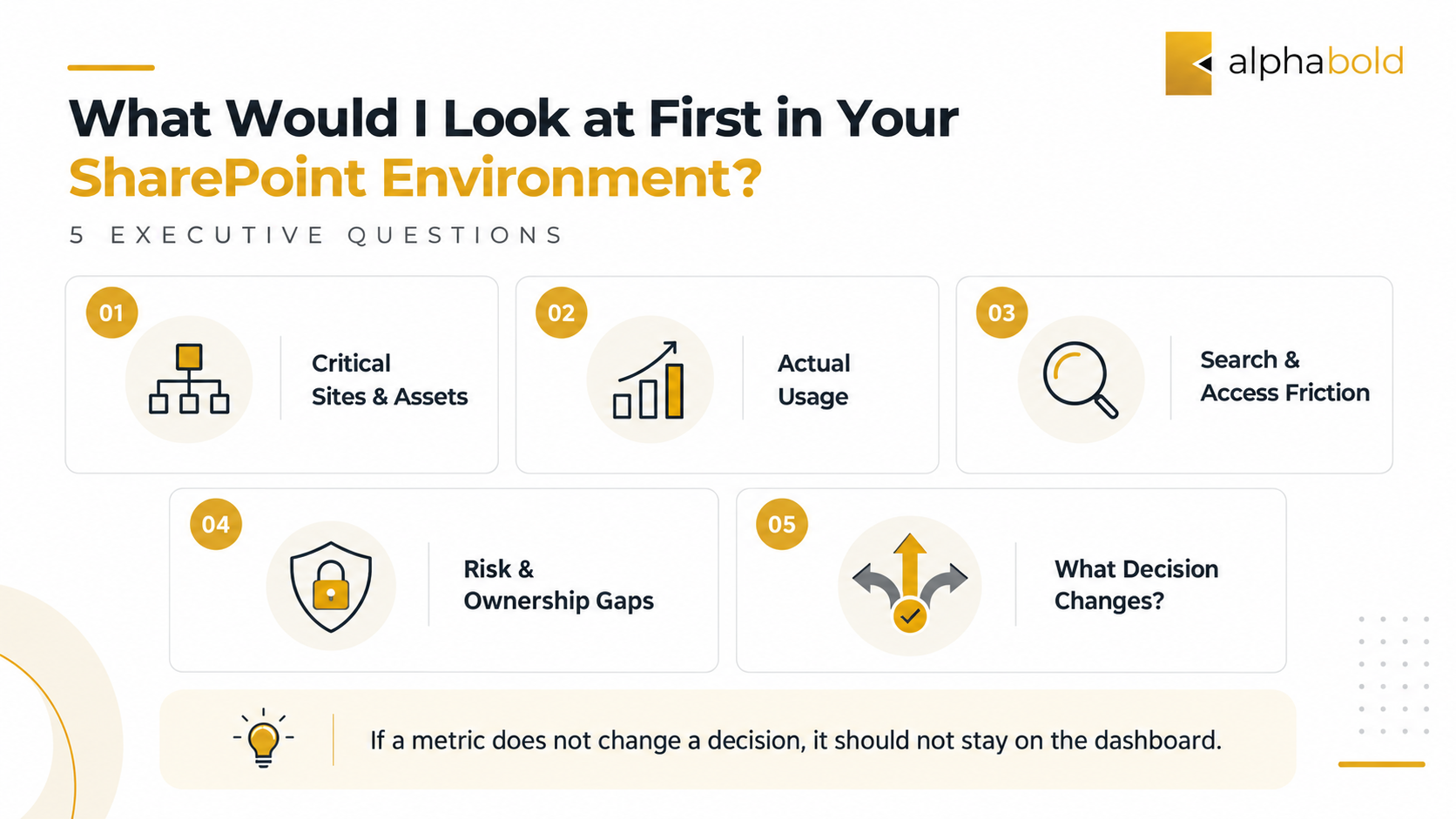
- Which SharePoint sites, workflows, and knowledge assets are genuinely important to how the business operates?
- Which of those resources are actually being used, and which are simply being maintained?
- Where are employees struggling to find, trust, or access information?
- Where are stale content, ownership gaps, or permissions creating unnecessary cost or risk?
- What decision would leadership make differently if we answered the first four questions?
I would spend the most time on question five.
If a metric changes but nobody changes an investment, policy, process, or priority because of it, we should question why executives are being asked to monitor it.
Analytics may reveal poor engagement or search behavior, but the cause can sit deeper in structure, metadata, ownership, permissions, or legacy design.
What Happens When the Data Reveals a Bigger SharePoint Problem?
Advanced SharePoint analytics is often most valuable as a diagnostic tool.
Low adoption may point to poor user experience or irrelevant content. Repeated search friction may expose weak information architecture. Inactive sites can indicate lifecycle-governance gaps. Broad access patterns can expose ownership and permission problems. Weak AI results may indicate an information-readiness problem rather than an AI problem.
This is where SharePoint reporting should lead to a decision, not another reporting cycle.
The purpose is to help leadership determine what should be fixed, consolidated, funded, governed, or retired.
For organizations concerned about access and exposure, AlphaBOLD’s SharePoint security guidance explores permissions, external sharing, inactive sites, access patterns, and ongoing governance in greater depth.
What Does Better SharePoint Decision-Making Look Like in Practice?
A recent AlphaBOLD SharePoint project illustrates why business outcomes matter more than activity metrics.
A Connecticut credit union had documents distributed across Marketing, Lending, Compliance, and other functions, making information harder to locate and collaboration less consistent. Following the SharePoint implementation, stakeholders estimated a 10–20% improvement in document-management efficiency.
The important outcome was not simply more SharePoint activity. Information became easier to locate, departments worked within a more consistent environment, and access became easier to govern.
That is the difference between measuring platform activity and measuring business effect.
What Is Your SharePoint Environment Trying to Tell You?
AlphaBOLD can help evaluate your SharePoint environment across usage, content, governance, architecture, and AI readiness, then translate what the data reveals into prioritized actions aligned with your business objectives.
Request a ConsultationConclusion
SharePoint analytics is most valuable when the metric is the beginning of the conversation, not the end of it.
Usage, searches, permissions, content activity, and adoption trends are signals. Leadership’s job is to connect those signals with decisions about productivity, risk, technology investment, and organizational knowledge.
The organizations that get the most from SharePoint will not necessarily measure more. They will know which measurements deserve action.
Frequently Asked Questions
SharePoint analytics examines usage, engagement, content, search, access, and other signals to understand how a SharePoint environment is performing and where business issues may exist. The goal is to connect those signals to decisions about adoption, productivity, governance, risk, and investment.
SharePoint reporting presents what is happening, such as usage, activity, or access patterns. SharePoint analytics goes further by interpreting those patterns in business context. Reporting might show that engagement declined. Analytics asks why, where it matters, and whether leadership should change a process, investment, policy, or content strategy.
SharePoint ROI should be tied to business outcomes rather than usage alone. Executives can establish baselines around time spent finding information, document-handling effort, adoption, workflow efficiency, duplicated work, governance exposure, or subsequent Microsoft 365 and AI investments. The strongest measures connect a SharePoint change with a measurable operational or financial effect.