Table of Contents
Introduction
Power BI has already earned its place as a trusted decision platform for many organizations. But the pace of innovation is shifting. As we move deeper into an era shaped by AI and automation, expectations around data strategy, insight delivery, and enterprise agility continue to rise.
Advanced AI analytics in Power BI for CTOs is not just about creating smarter reports. It is about enabling more responsive, scalable, and intelligent decision-making at every level of the business. With Copilot now integrated across the platform, Auto-Prep reducing the manual work behind data modeling, and Microsoft Fabric providing a unified foundation for analytics and governance, Power BI continues to evolve into a more strategic asset for enterprise leaders.
In this blog, we explore what this evolution means for CTOs and how they can adapt their data strategy to support a more AI-driven, future-ready organization.
The Role of Advanced AI Analytics in Power BI
Advanced AI analytics is changing how teams use Power BI. Features like Copilot are no longer in testing. They are now part of everyday workflows. Leaders can ask questions in plain language, get fast insights, and generate reports without depending on manual data pulls. This shift helps decision-makers move faster, cut through bottlenecks, and get more value from their data.
Real-World Example: Moody’s Research Assistant
A strong example of this in action is Moody’s Research Assistant, developed through a collaboration between Moody’s and Microsoft. By combining Moody’s proprietary research and analytics with Microsoft’s AI technology, the tool delivers fast, context-rich insights in a secure environment. It demonstrates how AI-driven analysis can support real-time, high-stakes decision-making across complex data environments.
Microsoft Fabric
Another milestone is the introduction of Microsoft Fabric, which unifies Power BI, Azure Synapse, and Data Factory into a single analytics platform. For CTOs, this reduces tool sprawl and creates a more scalable, governed environment for analytics. Fabric’s integration with Copilot brings natural language interaction into the data preparation and exploration process, enabling faster collaboration between business and technical teams.
Discover the Power of AI-Enhanced Analytics
Ready to see how Power BI can transform your organization’s data strategy with advanced AI analytics? Request a live demo and explore the dynamic capabilities of Power BI today.
Request a DemoExplore AI solutions and Services
These developments mark a shift in how analytics supports business strategy. Advanced AI analytics in Power BI for CTOs is no longer a future concept. It is already helping enterprise leaders simplify modeling, accelerate reporting cycles, and build insight-driven cultures across departments.
Power BI continues to evolve in response to modern business demands. It is now more connected, intelligent, and aligned with the pace of decision-making today.
Dive deeper into Data Engineering and Advanced Analytics
Addressing Pain Points with Power BI’s Advanced AI Analytics
CTOs are under constant pressure to turn complex data into clear, actionable insights. Yet many still face the same long-standing challenges: siloed systems, disconnected tools, slow reporting cycles, and unclear visibility across teams.
Power BI’s advanced AI analytics directly address these issues by creating a more unified, responsive, and scalable data experience.
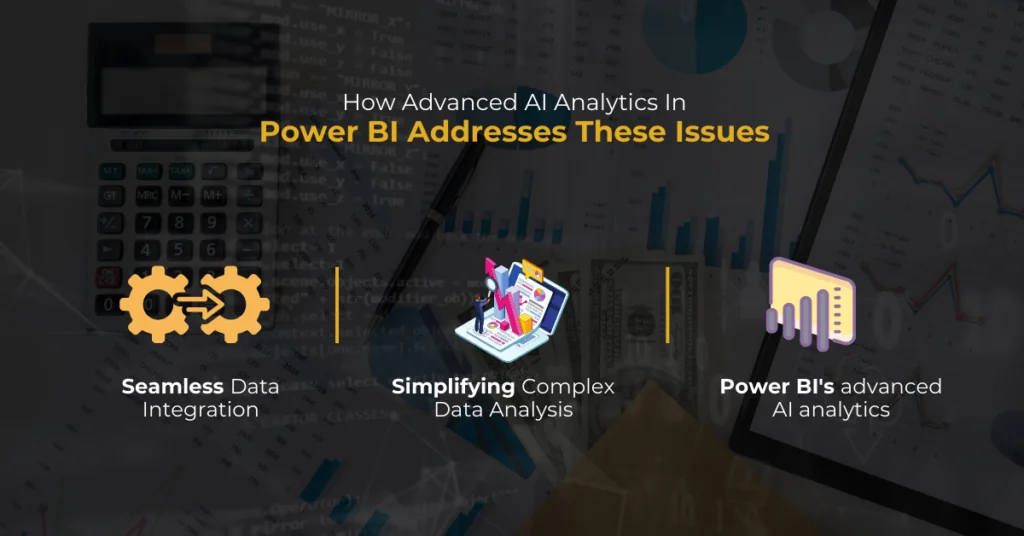
Breaking Down Silos and Improving Integration:
- Many organizations struggle with fragmented data spread across departments and platforms. This fragmentation slows down analysis and prevents a comprehensive view of the business.
- With Microsoft Fabric, Power BI brings together data from multiple sources into a single model. Auto-Prep helps automatically detect relationships between datasets, clean the data, and prepare it for reporting. These tools simplify integration and provide CTOs with consistent, trusted data that supports better decisions and faster collaboration.
Simplifying Complex Data Analysis:
Once data is integrated, the next challenge is making sense of it. Power BI uses built-in AI to remove barriers to advanced analysis. Copilot allows users to ask questions in natural language and receive clear, actionable answers. AutoML supports forecasting and pattern detection without the need for custom code. These features reduce reliance on technical teams and make insight generation more accessible across the organization.
Accelerating Reporting and Decision-Making:
Traditional reporting often involves manual steps, long turnaround times, and resource constraints. Power BI removes friction by automating the generation of dashboards, summaries, and trend analyses. Copilot can quickly surface key metrics, highlight anomalies, and explain changes in plain language. For CTOs, this leads to faster decision cycles and more agile planning.
Conquer Data Challenges with AlphaBOLD
Recognize the hurdles mentioned in your own data journey? AlphaBOLD is here to help you leap over data silos and integrate seamlessly. With our guidance, advanced AI analytics in Power BI become your tools for success, not just concepts.
Request a DemoBy solving core issues like data fragmentation, complexity, and slow reporting, advanced AI analytics in Power BI supports a more responsive, insight-driven organization. CTOs can spend less time managing the data process and more time using data to guide growth, efficiency, and innovation.
Further Reading: AI-Driven Predictive Analytics via Power BI Insights
How Advanced AI Analytics In Power BI Addresses These Issues
Further Reading: Power BI On-The-Go: A Review Of The Mobile Experience
Opportunities Created by Power BI’s Advanced AI Analytics
For CTOs leading modern data strategies, Power BI’s advanced AI analytics creates new ways to make smarter, faster, and more forward-looking decisions. These capabilities are reshaping how organizations plan, act, and compete.
Speed and Accuracy in Decision-Making:
With Power BI’s AI features like Copilot and AutoML, organizations can analyze data at speed and respond in real time. These tools reduce manual effort and accelerate the insight-to-action cycle. Instead of relying on delayed or partial reports, CTOs can guide their teams using up-to-date, reliable information. This supports strategic thinking and reduces decision-making friction across departments.
Making Data Accessible Across Teams:
Power BI’s user-friendly design, combined with AI-powered natural language queries and visual explanations, puts advanced analytics in the hands of more people. Even non-technical users can ask questions and explore dashboards without needing data science support.
This shift helps CTOs decentralize data ownership, reduce IT bottlenecks, and build a stronger culture of analytics. When everyone can access and understand key insights, teams become more aligned, efficient, and proactive.
Forecasting What Comes Next:
Power BI’s predictive analytics features are helping businesses look ahead. Tools like AutoML and built-in forecasting models allow teams to identify upcoming trends, spot anomalies early, and prepare for changes before they happen.
This proactive approach supports everything from supply chain planning to market responsiveness. CTOs gain the ability to lead with insight, shaping future outcomes rather than just reacting to past performance.
Interested in learning more about the capabilities of data analytics and Power BI? Read Data Analytics For CFOs – Visualizing NetSuite Data in Power BI
The Success Story of Standard Bank
When Standard Bank needed to improve planning for a new product launch, they used Power BI’s Copilot and AutoML capabilities to forecast customer behavior. Instead of relying on historical trends alone, they applied predictive models and data storytelling to guide decisions.
The result was stronger alignment across departments and a faster, more confident rollout. This case highlights how advanced AI analytics in Power BI for CTOs can improve operational execution and business agility.
Transform Decision-Making with AlphaBOLD
Are you looking to leverage Power BI Copilot for enhanced decision-making? Discover how AlphaBOLD's tailored approach can integrate advanced AI analytics into your core business strategies. Take the first step towards data-driven success.
Request a DemoThe Role of Power BI Consultants/Partners in Maximizing Value
Getting the most out of Power BI’s advanced AI analytics and Copilot features goes beyond technical setup. It requires experienced guidance from partners who understand Microsoft’s data ecosystem and how to align tools with business goals.
Making the Choice: Direct Purchase vs. Partnering with Consultants
Deciding on enhancing your organization’s data analytics capabilities with Power BI requires weighing the benefits of direct purchase from Microsoft against those of partnering with a Power BI consultant. Each option has distinct advantages, and understanding these can help CTOs and CIOs align their choice with organizational goals.
Direct Purchase from Microsoft:
| Pros | Cons |
|---|---|
|
|
|
|
Partnering with Power BI Consultants/Partners:
| Pros | Cons |
|---|---|
|
|
|
|
|
|
Read more: Data Visualization in Power BI using Python
Why Partnering with AlphaBOLD Makes a Difference?
Choosing AlphaBOLD means gaining more than just implementation support. Our team brings deep experience in Power BI advanced analytics, from architecture to Copilot deployment. We design intelligent systems that align with your unique data strategy.
The AlphaBOLD Advantage:
- Tailored Solutions: We go beyond the basics to deliver solutions that are perfectly aligned with your strategic objectives.
- Comprehensive Support: From setup to ongoing training, we’re with you every step of the way, ensuring your team is equipped to leverage Power BI to its full potential.
- Strategic Implementation: Our deep understanding of Power BI’s advanced features ensures that your data strategy is not just effective but transformative.
Partnering with AlphaBOLD means choosing a path that guarantees access to Power BI’s advanced features. Our team at AlphaBOLD has witnessed the remarkable impact our tailored Power BI solutions have had across industries, proving time and again why we are the partner of choice for those ready to embrace the future of data analytics.
Unlock the Power of Data with AlphaBOLD
Ready to transform your data strategy with the intelligence of Power BI's advanced AI analytics? Partner with AlphaBOLD and tap into the expertise of a Microsoft-certified partner. Elevate your data analytics with custom solutions that drive results.
Request a DemoKey Questions for CTOs Considering Advanced AI Analytics in Power BI
Ask these before you dive in:
What are your specific goals for integrating advanced AI analytics in Power BI?
Clarify your objectives, whether improving decision-making speed and accuracy or gaining predictive insights. This ensures Power BI’s advanced AI analytics meets your strategic needs.
How does using Power BI Copilot in the decision-making process align with your data strategy?
Assess how the Power BI Copilot feature can enhance your decision-making by generating complex DAX queries and reports through conversational language. This will help democratize data analytics across your team.
What data integration challenges does your organization face, and how can Power BI’s AI analytics address these?
Identify existing data silos and integration issues. Determine how advanced AI analytics in Power BI can streamline data consolidation, enhancing cross-functional analysis and strategic planning.
Are your teams equipped to leverage the advanced AI analytics and Copilot feature in Power BI?
Consider whether your team has the necessary skills or if training is required. Understand the level of support and training needed to fully utilize Power BI’s advanced AI analytics and Copilot in decision-making.
How will the implementation of advanced AI analytics in Power BI transform your organization’s approach to data analytics?
Reflect on potential changes and improvements in your data analytics processes. Consider how predictive analytics, trend forecasting, and democratization of data analytics can foster a more data-driven culture.
What are the long-term strategic benefits of partnering with a Power BI consultant/partner?
Evaluate the advantages of engaging with a consultant to customize and optimize your Power BI environment. Understand how a partner like AlphaBOLD can align Power BI’s capabilities with your business objectives for long-term success.
Addressing these questions prepares CTOs for the successful integration of advanced AI analytics in Power BI and ensures the chosen strategy aligns with the organization’s broader goals.
Start your Advanced Analytics Journey!
Have the questions sparked your interest in advanced AI analytics for Power BI? Begin your journey to smarter data solutions and strategic insights with AlphaBOLD. Let's explore the full capabilities of Power BI together.
Request a DemoConclusion
For today’s CTOs, staying competitive requires more than adopting new tools. It means using them strategically and aligning them with your organization’s goals. Advanced AI analytics in Power BI for CTOs offers a direct path to faster decisions, streamlined operations, and measurable growth.
However, reaching that potential takes more than access to technology. It calls for a clear plan, skilled teams, and often a trusted partner who understands both the platform and your business.
At AlphaBOLD, we work with organizations to turn Power BI into a strategic advantage. From setup to optimization, our consultants help you get more value from your data and ensure every insight supports your long-term goals.
Start the conversation today. Request a demo to see how advanced AI analytics in Power BI can drive smarter decisions and real results for your business.
Explore Recent Blog Posts